Giveaway: SteelSoft PixelUp (Lifetime License) – Upscale Low-Resolution Videos with AI

 Leona
Leona What is SteelSoft PixelUp?
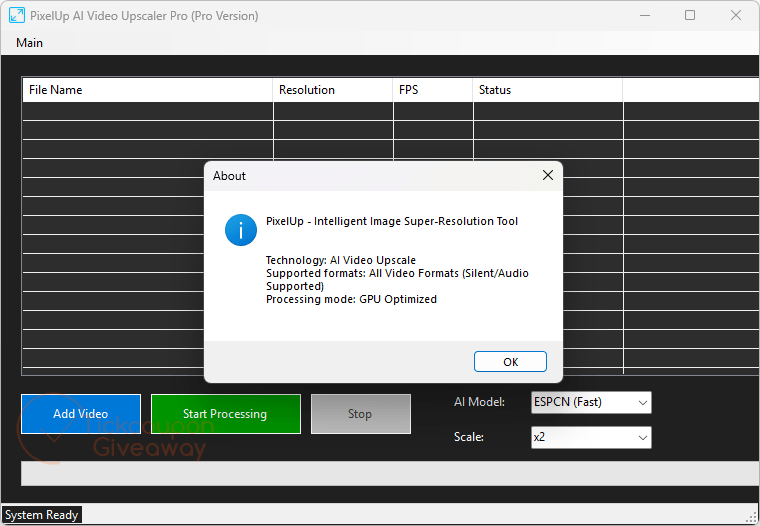
SteelSoft PixelUp is an offline AI video upscaler that enlarges low-resolution footage up to 8X while rebuilding edges and textures. It includes ESPCN, FSRCNN, and LapSRN models for different speed and quality needs, plus CUDA, Vulkan, or CPU processing. The app can queue multiple videos, keep audio in sync through FFmpeg, and process everything locally without cloud uploads or account registration.
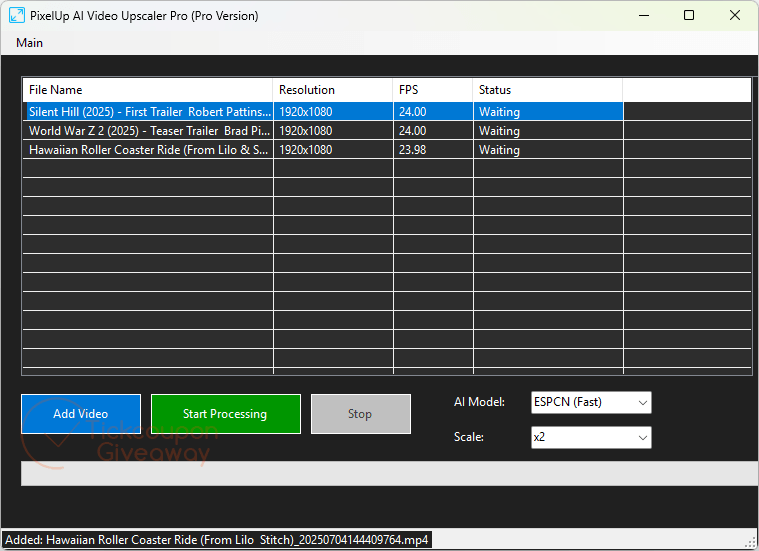
Table of Contents
Key Features
- Upscale video at 2X, 4X, or 8X using the LapSRN model.
- Choose ESPCN, FSRCNN, or LapSRN to match different processing needs.
- Send workloads through CUDA, Vulkan, or CPU fallback paths automatically.
- Queue multiple video files through drag-and-drop batch processing.
- Keep rendering on your PC without uploading source media to remote servers.
- Preserve original audio timing through the app’s FFmpeg-based processing pipeline.
- Set higher target resolutions while managing several queued jobs.
| Version | 2.0 (giveaway build) |
| Supported OS | Windows 7, 8/8.1, 10, and 11 (64-bit) |
| File size | 188 MB |
| License type | Lifetime license, noncommercial use |
| Publisher | SteelSoft |
| Category | Video Editing |
Our Quick Test
Based on the activation process, registration uses an emailed code after installation. You request the code first, then install the giveaway build and open the activation window. The sequence is clear because the code is pasted directly under Main > Activate Product. The giveaway is limited to one computer, so choose the machine where you plan to keep it. Vendor help is not included, so you will need to handle activation problems yourself. This giveaway best fits personal video upscaling if you can stay on the supplied build.
How to Get the Free License Key
SteelSoft PixelUp
Transform your low-resolution videos into stunning high-definition masterpieces with the power of localized AI.
Instructions
Step 1. Enter your email address in the giveaway form to request a license code. Check your mailbox and copy the license code from the giveaway email.
Step 2. Download and install PixelUp 2.0 on your computer —> PixelUpSetup.zip. Open Main > Activate Product and paste the license code to register the app.
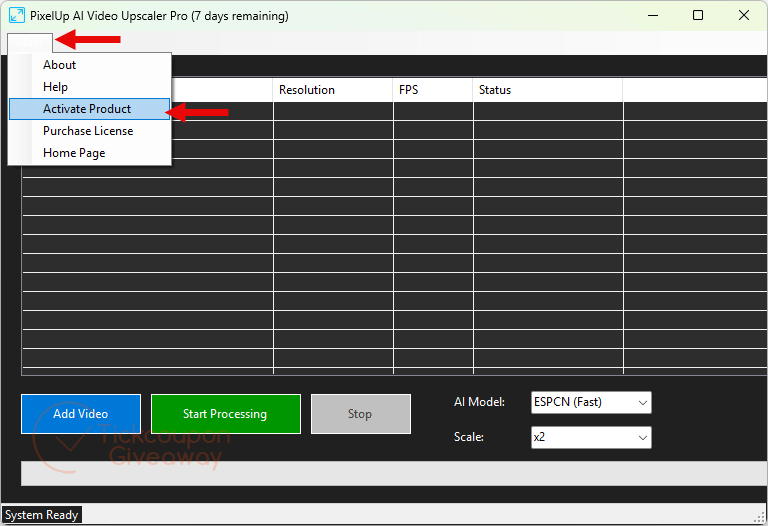
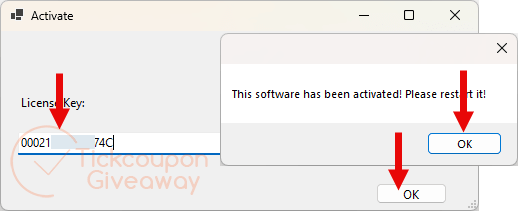
Step 3. Restart the software and get it for free for life!
Troubleshooting
- Invalid key? Confirm that you installed the giveaway package from this article. Then paste the emailed code again.
- No keys left? Leave a comment so we can check whether we can issue additional giveaway codes.