
 Leona
Leona What is Ashampoo Collector?
Ashampoo Collector helps you organize personal collections, inventories, and borrowed items in one place. You can create custom fields for text, numbers, dates, ratings, checkboxes, and dropdown lists. The software also lets you add images, mark favorite collections, search for items, and track borrowers with due dates. It can handle books, games, coins, household items, workshop supplies, and office equipment. JSON import and export are included for moving or backing up collection data.
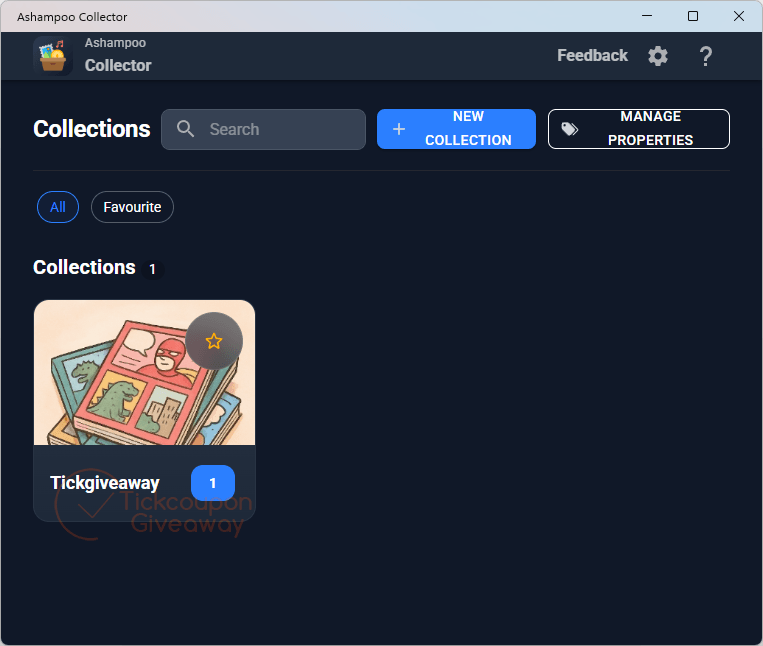
Table of Contents
Key Features
- Define fields with text, numbers, dates, checkboxes, ratings, or custom dropdown menus.
- Attach images to whole collections and individual stored items.
- Mark selected collections as favorites for quicker access later.
- Search stored collections and items without browsing each list manually.
- Track borrowers and due dates when lending items to other people.
- Import or export collection data through JSON files.
- Build inventory records for household, workshop, office, or conference-room items.
| Version | 1.2.1.0 (giveaway build) |
| Supported OS | Windows 11, Windows 10 (x64) |
| File size | 1.70 MB |
| License type | Lifetime, personal use |
| Publisher | Ashampoo |
| Category | Organization |
Our Quick Test
Based on the activation process, setup starts with the Ashampoo App and an Ashampoo account. The supplied instructions then send you to the giveaway download before installation. Future releases are outside the included update terms, so keep the supplied build if you want this license. Vendor assistance is excluded, so installation problems may require self-help using the available documentation. This is a sensible pick for personal collection tracking when you prefer a license without recurring renewal.
How to Get the Free License Key
Instructions
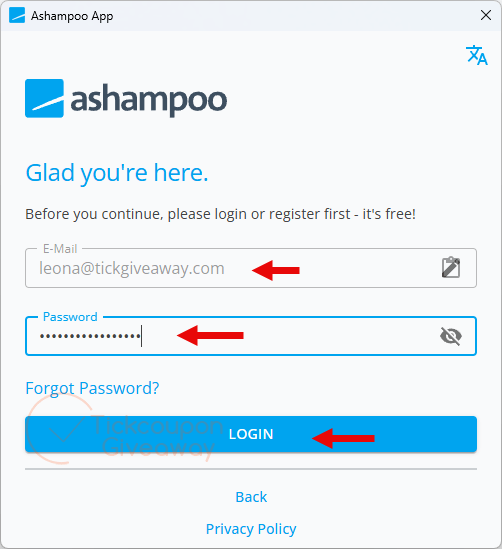
Step 1. Download the Ashampoo App from Ashampoo and complete its setup. Sign in to the Ashampoo App with your Ashampoo account.
Step 2. Download Ashampoo Collector 1.2.1.0 from the giveaway link above. Run the setup file to install the app, then launch it after setup finishes.
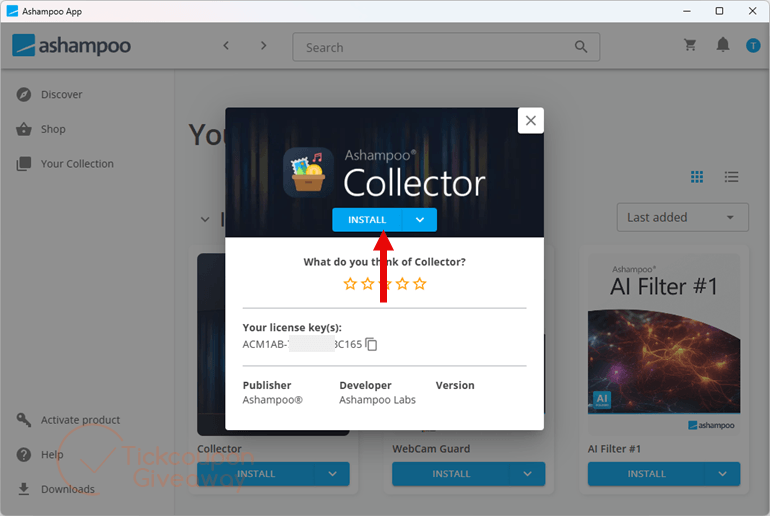
Step 3. Got it for life, free!
Troubleshooting
- Seeing an invalid-key message? Reinstall with the giveaway installer for the version listed above. A different build can prevent the supplied activation route from matching the giveaway.
- No more giveaway licenses available? Comment on the giveaway post and ask the site to check remaining availability. Do not substitute a license from an unrelated download page.
If the Ashampoo App is not signed in, return to it and confirm your account session first. The supplied activation instructions require that account before installing the giveaway..