
Giveaway: SoftOrbits Turbo PC Optimizer (Lifetime) – Tune a Slow Windows PC

 Leona
Leona What is SoftOrbits Turbo PC Optimizer?
SoftOrbits Turbo PC Optimizer is a useful tool for PC optimization, helping reduce Windows slowdowns caused by crowded startup lists, idle processes, and unnecessary background services. It scans the system, explains each available adjustment, and creates a snapshot before applying changes. Users can free memory, prepare their PCs for demanding tasks, manage startup entries, and reverse unwanted tweaks without reinstalling Windows. The tool is aimed at home users, gamers, and small-office users dealing with slow startup times or excessive background activity.
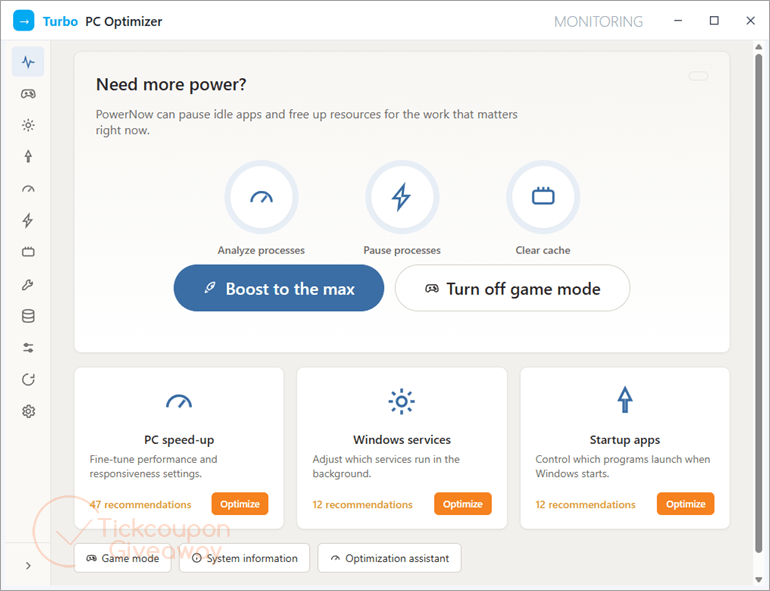
Table of Contents
Key Features
- Pause unused background processes before games or demanding tasks.
- Restore suspended services after finishing a boost session.
- Review startup entries, including items launched through Task Scheduler.
- Save a snapshot before applying system changes.
- Roll back one tweak or restore the full saved state.
- Free memory by unloading idle processes.
- Inspect large folders through an NTFS file-table scan.
| Version | 1.2 (giveaway build) |
| Supported OS | Windows 11/10/8.1/8/7 (32/64 bit) |
| File size | 1.70 MB |
| License type | Lifetime license |
| Publisher | SoftOrbits |
| Category | PC Optimization |
Our Quick Test
Based on the activation process, registration takes three main actions after opening the giveaway page. Complete the profile, copy the issued code, then paste it into the registration field. The key stays tied to this giveaway build, so avoid replacing it with a later release. You also handle activation problems without vendor assistance. This deal suits personal users who want reversible Windows tuning and can keep the installed build unchanged.
How to Get the SoftOrbits Turbo PC Optimizer Free License Key
Instructions
Step 1. Visit the SoftOrbits Turbo PC Optimizer giveaway page and complete the basic profile.
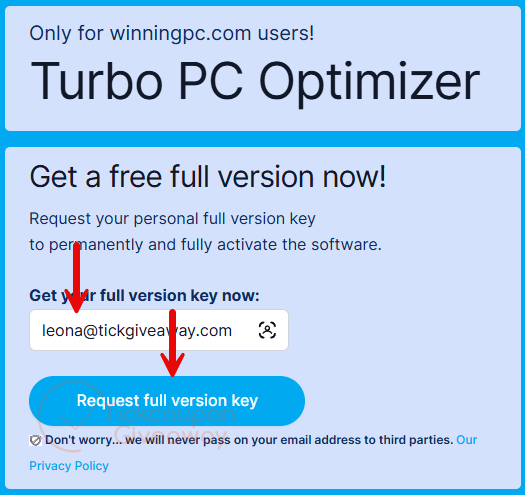
Step 2. Copy the license code shown after submitting the profile.

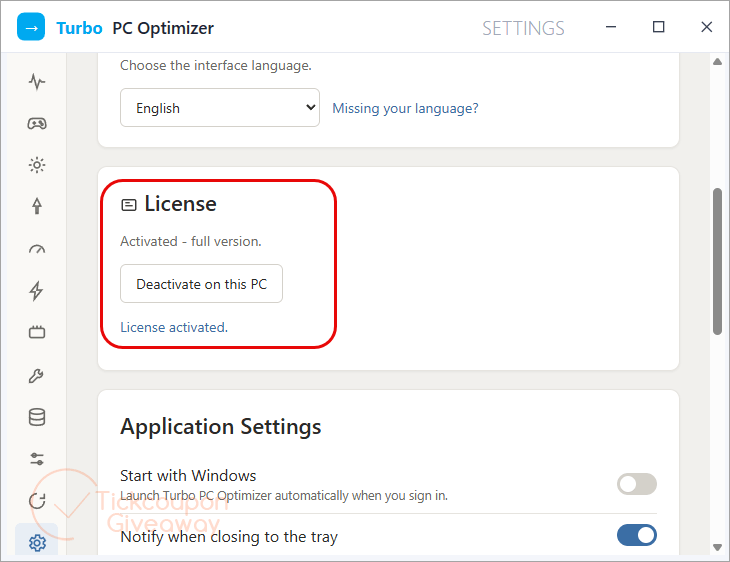
Step 3. Download and run PCOptimizerSetup.exe version 1.2. Paste the code into the registration field and confirm activation.
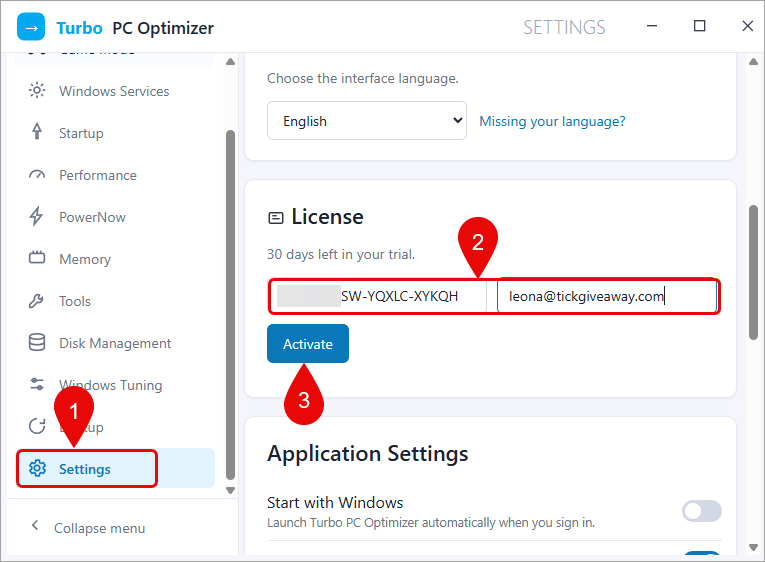
Step 4. Got it for a lifetime for free!




Doesn’t work.
invalid URLerror
Does not install. Gives (invalid URL: “/ai/”) error after clicking on install.