

 Leona
Leona Table of Contents
What is AskSia?
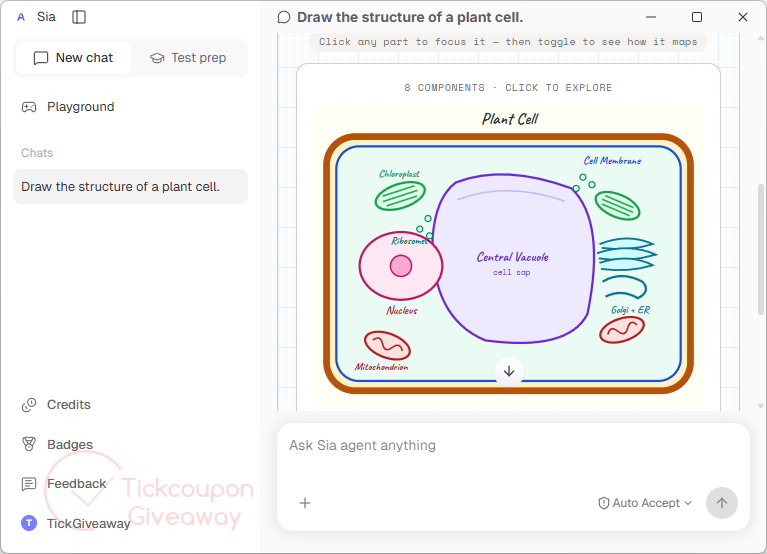
AskSia is an AI study assistant that helps students turn course materials into useful revision tools. You can upload PDFs, lecture slides, notes, images, and recordings, then generate summaries, flashcards, quizzes, diagrams, and study plans. The app can also explain difficult topics using your own materials, so answers stay connected to your coursework. AskSia works across desktop, web, mobile, and browser tools, making it suitable for lecture review, exam preparation, daily assignments, and digital SAT practice.
Key Features
- Read PDFs, slides, photos, and recorded lectures.
- Generate cheat sheets, diagrams, flashcards, and quizzes.
- Explain questions using material supplied by the student.
- Create dated study plans around an exam deadline.
- Adjust later study tasks using completed work and results.
- Review saved plans and study aids without an internet connection.
- Run full-screen Digital SAT practice sessions.
| Version | 0.2.29 (giveaway build) |
| Supported OS | Windows 10 and 11; macOS 12 or later |
| License type | 2,000 bonus credits |
| Publisher | AskSia |
| Category | Educational |
Our Quick Test
Based on the activation process, claiming the promotion takes four direct actions. Install the desktop app, create an account, open Credits, and submit the supplied code. No separate license file or registration form is required.
The coupon is valid until August 7, 2026, and is limited to 2,000 successful redemptions, so it may stop working earlier if all claims are used. After redemption, the 2,000 promotional credits do not expire and remain in the account until they are used for practice or creating a study plan.
How to Get the Free License Key

AskSia
Turn your lectures, videos, readings notes into knowledge.
Instructions
Step 1. Download AskSia 0.2.29 from the official desktop download page. Or use the download link below:
For Windows: https://cdn.asksia.ai/siaagent/downloads/Sia-0.2.23-x64-setup.exe
For Intel chip Mac: https://cdn.asksia.ai/siaagent/downloads/Sia-0.2.23-x64.dmg
For Apple Chip Mac: https://cdn.asksia.ai/siaagent/downloads/Sia-0.2.23-aarch64.dmg
Install the correct Windows or Mac build.
Step 2. Sign up with your email address.
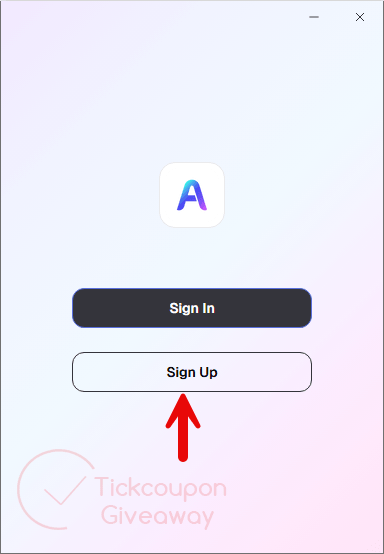
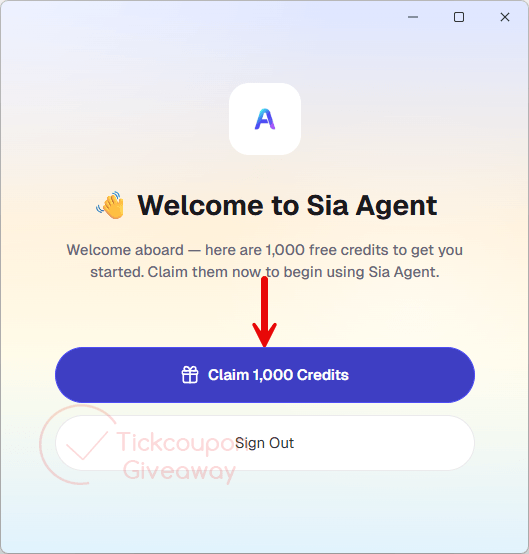
When login is successful, you will claim 1000 free credits to get you started.
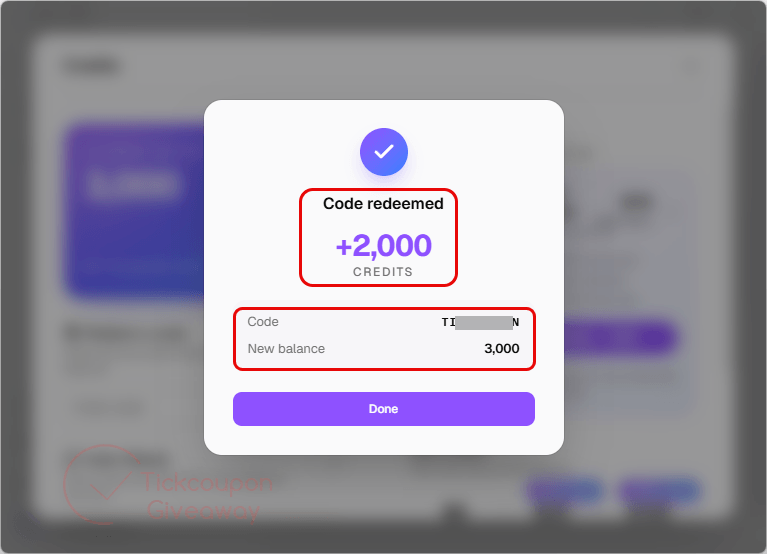
Step 3. Select “Credits” in the sidebar and enter your promo code.
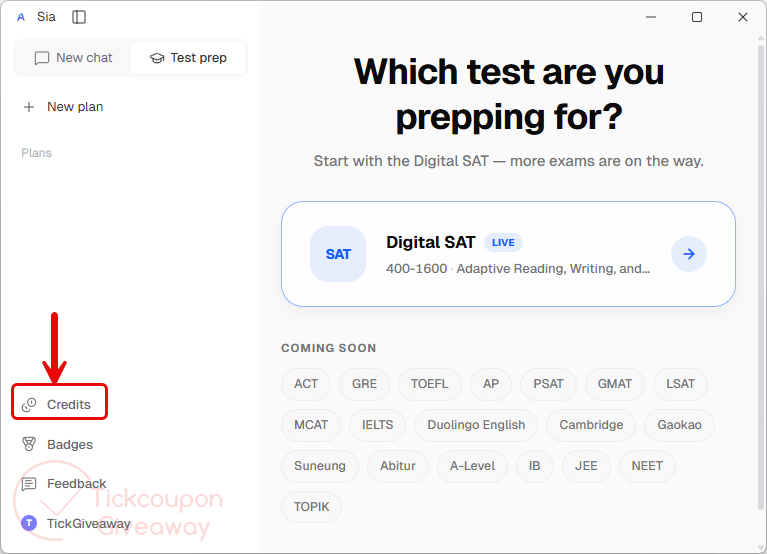
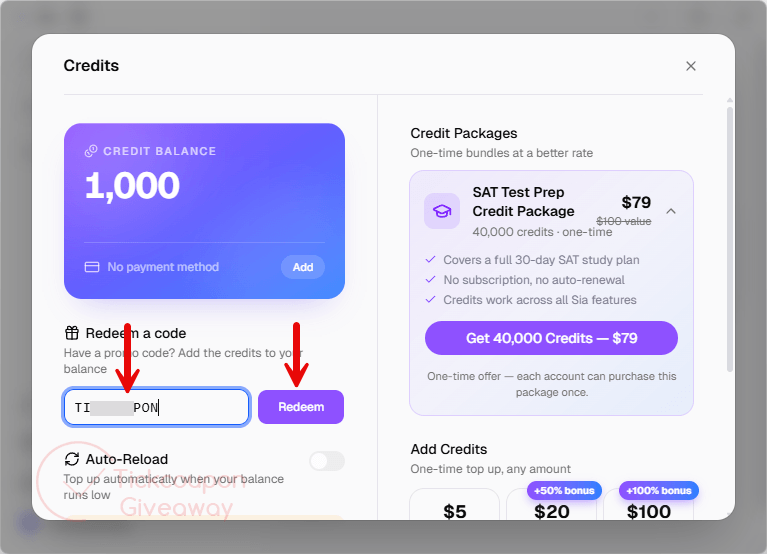
Plus another 2,000 when you enter the code, for 3,000 credits in total.
Troubleshooting
- The code has reached its limit
The campaign permits 2,000 redemptions. Leave a comment on the giveaway page so the TickGiveaway team can check availability. - The credits do not appear
Close and reopen the app after redemption. Confirm that you are signed in with the same email used when submitting the code.



That code is not valid.
olivier413@gmail.com
The big question is has ALL the training data been vetted by human experts to ensure there is no false information or unscientific ideas presented as scientific fact and no possibility that articles can have have contexts convoluted where one part of the training article writes about one topic and some other topic is mentioned elsewhere in the same article and the LLM AI model having no real comprehension or understanding of the topic will blindly convolute different topics and contexts and basically lie because there is no real intelligence or understanding at action in current AI models. For me to use something like this I’d need access to the training source material so I can verify context and veracity of the information provided and the power to inform the LLM that it made an error and never produce that same faulty output again! I’d rather do the work myself and be certain of my information sources.
Hi TK!
Disclosure: I’m from AskSia.
On sources, that’s the honest crux of it. AskSia works best when you upload your own material (notes, textbook pages, problem sets), and it answers from that rather than from the open web, so the source is one you already trust and can check the output against directly, instead of something you’d have to verify after the fact. You stay in control of what goes in.
The free credits need no credit card, so you can test it on material you already know the answers to and judge it yourself.
I can’t reply to your last response due to limitations of the comments widget so I’ll reply here, thanks for actively participating in the giveaway comments and clarifying functionality, it is good to see:)
Thank you for your response, I see this more as a teachers/tutors/parent-teacher tool to generate teaching aids rather than for an individual that wants to revise/improve their knowledge retention as one would have to already understand the topic to discern what information is safe to input for each usage so as to only produce factual teaching/revision aids. i.e I usually just need to read/hear things the once to retain it if I am concentrating… so I’d already know the thing I am creating revision/teaching aids for once I’ve read it so the produced products would not be of use to me unless I wanted to help someone else that had problems assimilating information and connecting it with other learned truths/facts. I’m not sure why AI is necessary compared to say any decent graphics package but I guess I may not be lazy enough or overworked enough to need an AI agent to do this for me.
Does the AI agent learn from inputs or just process the inputs and not change it’s training database depending upon input and possible feedback from users assuming feedback from users about generated content is catered for? Good luck in monetising the AI Agent!
Thanks TK. I think you’ve sized it up well. It’s most useful for people who want the working laid out or who are helping others, and if you retain things first read, you may genuinely not need it. No argument from me there.
On your question, it’s worth separating two things. The underlying model’s training database does not change based on what you type. Your inputs aren’t used to retrain the model, and nothing you enter affects what other users get.
Separately, the product can remember your own preferences and context to make your personal experience smoother over time, but that lives with your account and doesn’t alter the base model. So it’s personalisation for you, not the model silently learning from raw inputs. User feedback on outputs is handled as a deliberate, reviewed process rather than automatic retraining.
Appreciate the thoughtful back-and-forth, and thanks for the good wishes.
waiting !