
 Leona
Leona What is FW Admin Tech Tools Pro?
FW Admin Tech Tools Pro is a Windows utility suite built for system maintenance, network checks, file management, media conversion, and task automation. It includes more than 80 tools for checking drive health, scanning networks, managing permissions, converting files, finding hidden items, backing up data, and handling common Windows tasks from one app. It suits technicians and home users who prefer one installed toolkit for recurring system jobs.
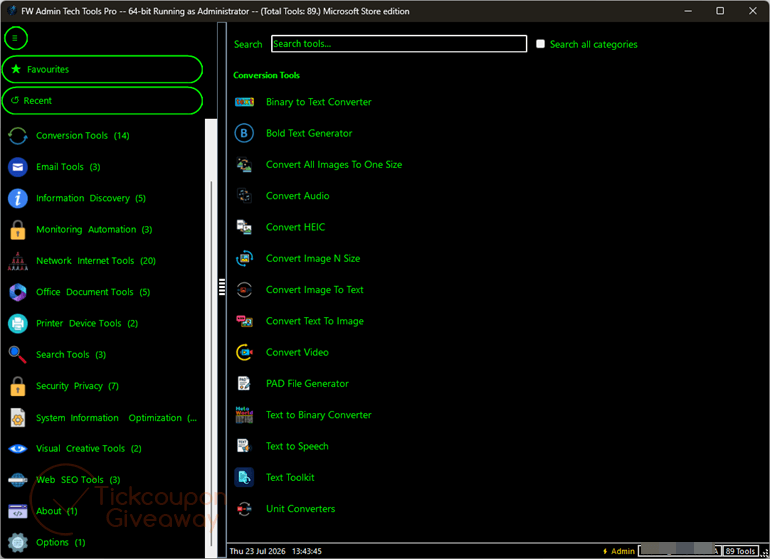
Table of Contents
Key Features
- Check drive details and adjust common system performance settings.
- Scan nearby Wi-Fi networks and devices on your local network.
- Trace IP addresses, check DNS records, and run continuous ping tests.
- Generate passwords and audit file or folder permissions.
- Back up files and review installed Windows applications.
- Convert images, text, speech, documents, and measurement units.
- Find hidden files, edit file attributes, and create ZIP archives.
| Version | 1.2.88.0 (giveaway build) |
| Supported OS | Windows 10 or Windows 11, 32-bit or 64-bit; 64-bit recommended |
| License type | Lifetime, full features |
| Publisher | Fullyworked |
| Category | System Tools, Productivity, PC Optimization |
Our Quick Test
Based on the activation process, setup uses Microsoft Store redemption rather than a registration window inside the app. You redeem the supplied code through your Store profile, then install or launch the app from your library. The license stays linked to that Microsoft account. Each code works once, so another person may redeem it if you delay. This giveaway suits Windows users who want lifetime updates and can keep the license tied to one Store account.
How to Get the Free License Key

FW Admin Tech Tools Pro
A Windows 10 and 11 utility suite with 80 tools for system optimisation, network scanning, file management, automation, troubleshooting and more.
Still want this product?
Grab it at a special discounted price.
Need help with an existing license? Contact support
Instructions
Step 1. Claim an unused promotional code from the giveaway page.
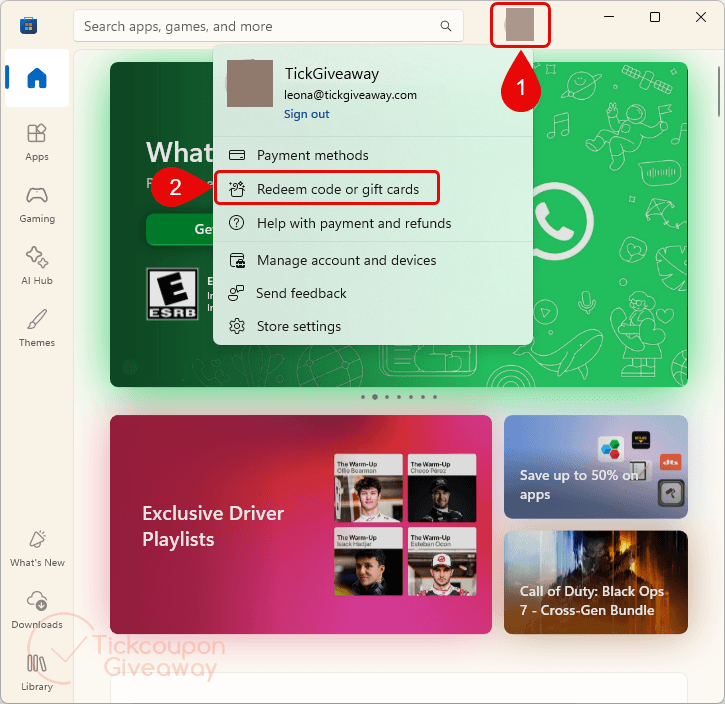
Step 2. Open the Microsoft Store app. Click your profile icon (top-right). Select Redeem code or gift cards.
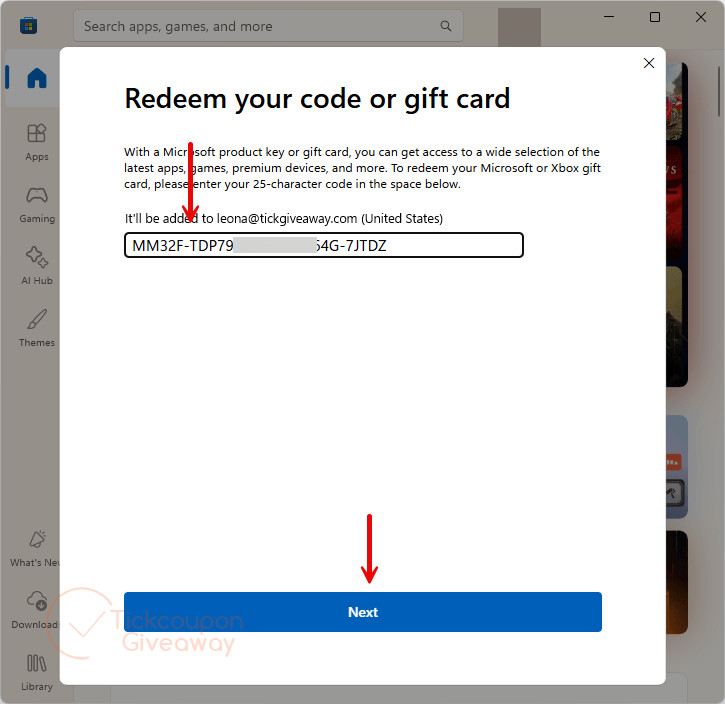
Step 3. Enter your promo code/license code. Click Next and confirm the redemption.
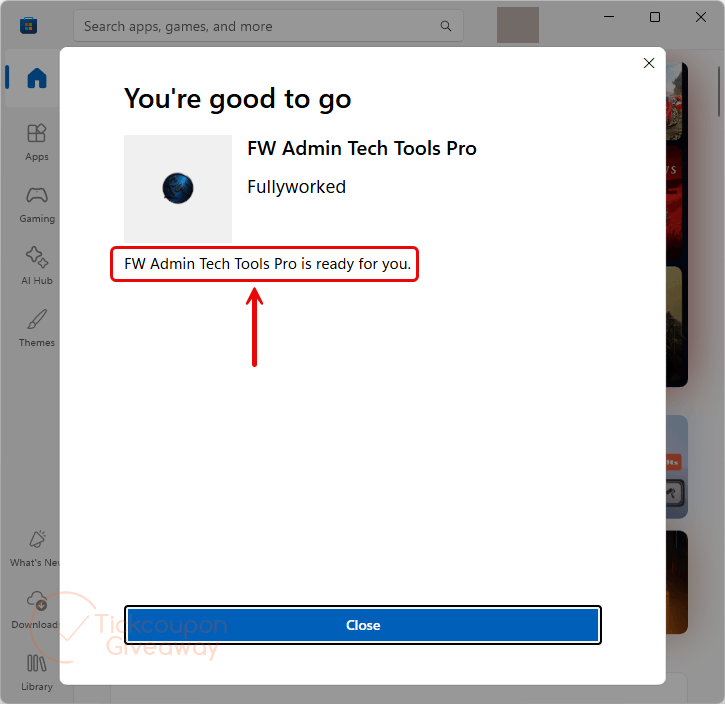
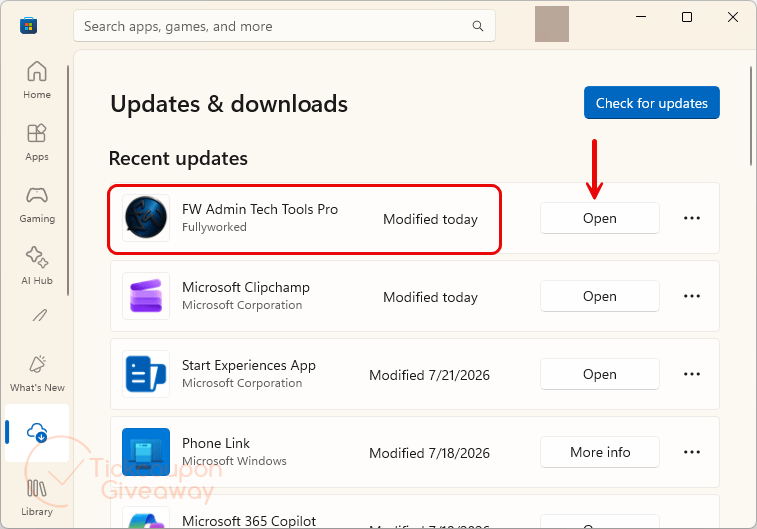
Step 4. Download or launch FW Admin Tech Tools Pro from your Microsoft Library. It will automatically be activated using your Microsoft account.
Troubleshooting
- The app was installed before redemption
Close the app first. Redeem the code through Microsoft Store, then reopen it. The license should load from your account. - The license does not appear
Confirm that Windows Store uses the same Microsoft account that redeemed the code. Check your Store library before reinstalling.




i didnt receive email either
I gave my mail, but I haven´t got a license code!
Hi, the giveaway has ended!
I gave my mail, but I haven´t got a license code!
Please check your inbox again.
Hi, I keep getting network error, please try again for the last 10mins to claim this free licence. Can anyone help me to claim this????
“License sent successfully!
Check your inbox at j***@gmail.com”
Please check your mailbox. We will check and fix this error. Thank you.
Hi,
Thank you so much for sending me the licence code, it worked perfectly and everything installed fine and is working. Thank you again