

Giveaway: iReaShare Data Wipe (1-Year) – Completely Erase Data, Folders, and Drives on PC

 Leona
Leona Table of Contents
Deleting a file is not always enough when you want sensitive information gone for good. Personal records, work documents, old backups, and files stored on external drives can often remain recoverable unless they are securely erased. iReaShare Data Wipe is designed for people who want a more reliable way to remove private data from a Windows PC, whether they need to shred selected files, clean an entire drive, or overwrite free space left behind by deleted items. It can be useful for home users, remote workers, and anyone preparing a device for reuse or disposal. A limited-time iReaShare Data Wipe giveaway is now available for a 1-year license.
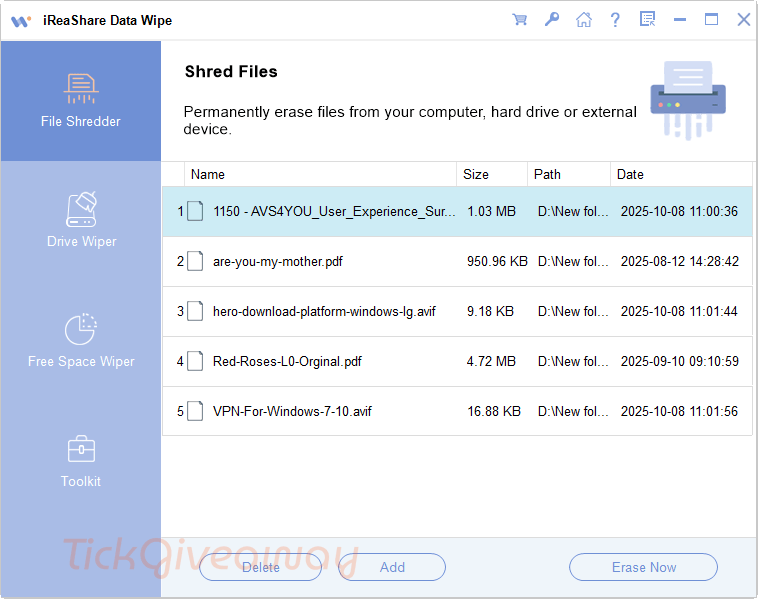
What Does iReaShare Data Wipe Help You Do?
- Permanently remove files and folders so they are harder to recover later.
- Wipe an entire hard drive or external storage device before reuse or disposal.
- Erase leftover traces of previously deleted files by overwriting free space.
- Choose between a faster erase option and a more thorough wipe method.
- Clean selected data on a Windows computer without having to erase everything.
| Version included | 2.0.32 |
| License type | 1-year license |
| License duration | 1 year |
| Supported platform | Windows 11, Windows 10, Windows 8, Windows 7 |
| Original price | $24.95 |
iReaShare Data Wipe Giveaway Details & How to Join
iReaShare Data Wipe
Can permanently wipe your files, folders, and drives on your computer. All your files will be shredded and erased.
Special Offer
iReaShare Data Wipe - 1 Month/1 PC
iReaShare Data Wipe - 1 Year License(1 PC)
iReaShare Data Wipe - Lifetime License(1 PC)
Instruction
Step 1. Download the installer from the official giveaway source and install iReaShare Data Wipe on your Windows computer —> ireashare-data-wipe.exe
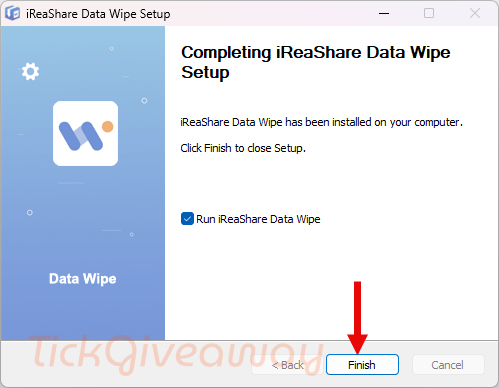
Step 2. Open the program after installation. Enter the license code below to register the software.
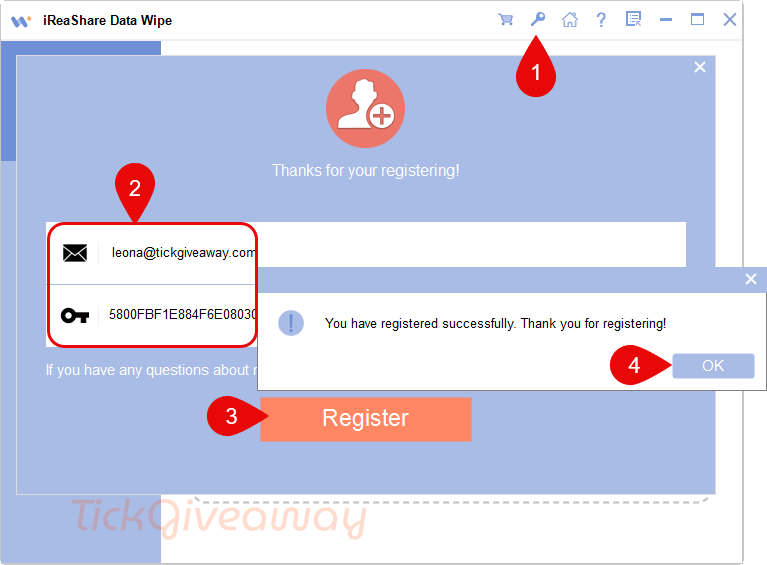
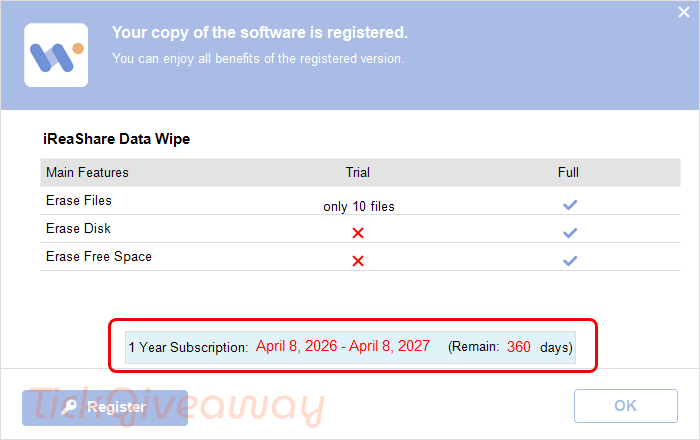
Step 3. Claim the free 1-year license.
Who Is This Giveaway Most Useful For?
This giveaway is most relevant for people who regularly handle files they do not want recovered later. For example, it may fit someone clearing tax documents, scanned IDs, or archived personal records from a shared home computer. It can also be useful for freelancers or office users who need to remove outdated project folders from a PC before passing it to another person.
Another practical use case is preparing an old hard drive or USB storage device for resale, recycling, or reassignment. It may also suit users who have already deleted files in the past and want to overwrite the free space on a drive to reduce the chance of those older traces being recovered.
Common Questions About This Giveaway
Is this a permanent license?
No. The giveaway includes a 1-year license, not a lifetime activation.
Does the giveaway include future updates?
No. Free upgrades to future versions are not included with this offer.
Can I use this license for business purposes?
No. The giveaway is marked for strictly non-commercial usage.
What happens if I miss the registration deadline?
You may lose access to the free offer, since registration must be completed before the stated deadline.
What can the software erase?
It can shred selected files and folders, wipe entire drives, and overwrite free space on supported Windows systems.




Don’t forget if you have system protection aka system restore enabled on a drive you cannot secure overwrite erase data as the previous versions of the data trying to be erased will be shadow-copied by VSS into the unencrypted and searchable VSS database on the drive and can be recovered using normal recovery software deep scans. IF you have data you must securely delete you need to disable system protection/system restore from the volume and then erase-overwrite the free space to erase everything that was in the VSS database that was just deleted then you can do the closest to securely erasing files assuming no temporary copies are made to paging file etc. And for all practical purposes overwriting once each sector with a single pass of zeros is a strong as any other erasure method and may be better for some SSDs as some makers watch for special case of all zeros sector writes and automatically perform a TRIM with read zeros command for cases where TRIM command is just not possible and to emulate erasure with the least harm to a SSD as possible like for example when a SSD is in a USB caddy of any kind… windows will no longer recognise it as a SSD and so does not send TRIM or SCSI deallocate commands to the SSD which could be converted to TRIM by the bridging chips firmware. Please never never waste your time performing 35 pass Gutman method that original white paper was entirely hypothetical and never demonstrated on hard drives in practice so while plausible was not practical and is impossible on modern much higher density recording methods. There is no fast overwrite erasure method, degaussing the platters is faster but renders the drive unusable as does physical destruction… choose your methods based upon how much time you have to erase sensitive data and if you want to re-use the medium again. I prefer to live by the idea of not putting on a computer systems anything I cannot mitigate being stolen… i.e. payment information can be changed or blocked. On SSD based windows 10 or above systems with TRIM enabled there is little need to overwrite erase as deleting deallocates the previously written data from the drives LBA address space and queues it for electrical erasure and such data can only be recovered by physically removing the the chips and putting them into a custom FLASH memory chip reader to read the queued for erasure FLASH memory cells which is very unlikely to happen even if the police seized your PC as they don’t have those resources… they are too busy persecuting anyone with right of center politics in my country anyway… to conceal data being deleted one should rename the file to something that does not contain any clues as most of the original filename remains when you just delete with TRIM a file as the filename can give strong clues about what the file contained or was about.