Giveaway: SHARPEN projects 3 pro – The Best Image Processing for Blurred Images

 Leona
Leona Table of Contents
What is SHARPEN projects 3 professional?
SHARPEN projects professional is an image-sharpening tool for photographers who want crisp, clean images. This tool lets you sharpen only specific areas and even clean up scratches and sensor spots with just a few clicks, rescuing photos that turned out slightly blurred or shaky. SHARPEN projects professional provides advanced options such as three quality modes, improved oversampling for more accurate blur correction, and an intelligent masking function that protects skin tones or smooth backgrounds while you boost detail where it matters.
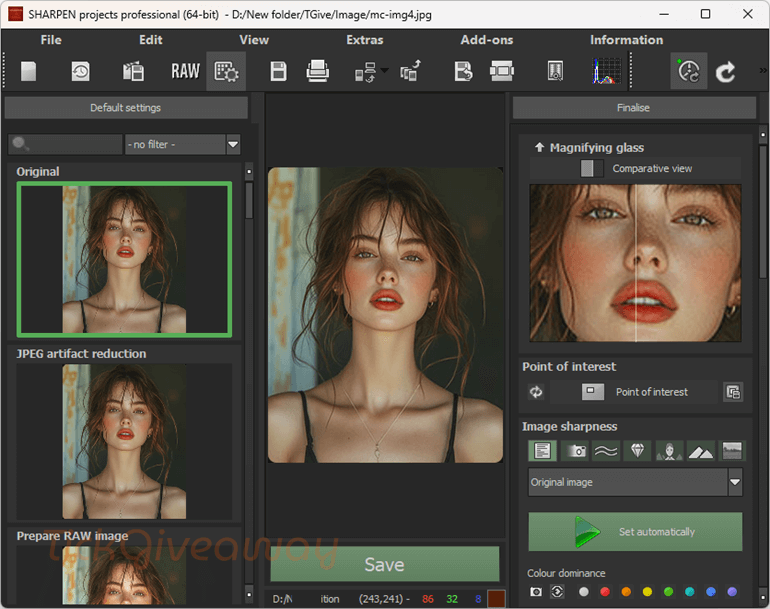
Key Features
- Automatically sharpens only the important areas while protecting skin tones, blue skies, smooth areas, shadows, midtones, and highlights.
- Single and double oversampling modes calculate image sharpness more precisely for cleaner results.
- Uses the maximum possible image size to calculate the PSF and push blur reduction quality to its limit.
- Offers both brightness and contour modes, plus automatic analysis that picks the best mode for reducing unsharpness.
- Includes 10 additional preparatory presets for faster, one-click sharpening workflows.
- 8 colour filters (red, orange, yellow, yellow-green, green, cyan, blue, and violet) help target specific tones when refining details.
- Adjust contrast and saturation of composing images, combine masks using Boolean functions, use multiple undo/redo for brush strokes, and apply 18 extra layer methods in HSV/HSL.
- A sub-module in cropping lets you save smaller versions using around 30 ready-made templates for Facebook, YouTube, and Instagram, plus pixel-perfect custom sizes.
- Scale images between 10% and 900% in six different quality levels during image preparation.
- Choose any compatible system font and adjust the menu/title font size (small, standard, or large), ideal for 4K displays.
- Five new quality modes automatically search for suitable replacement areas when removing scratches and sensor spots.
- Define and call up to twelve external applications with custom names directly from within the program.
Supported OS: Windows 11/10/8.1 (64-bit)
Price: $29.95/lifetime
How to get the SHARPEN projects 3 professional license key for free?
Special Offer
33% Off Batch AI Photo Sharpener PRO Coupon Code
Instruction
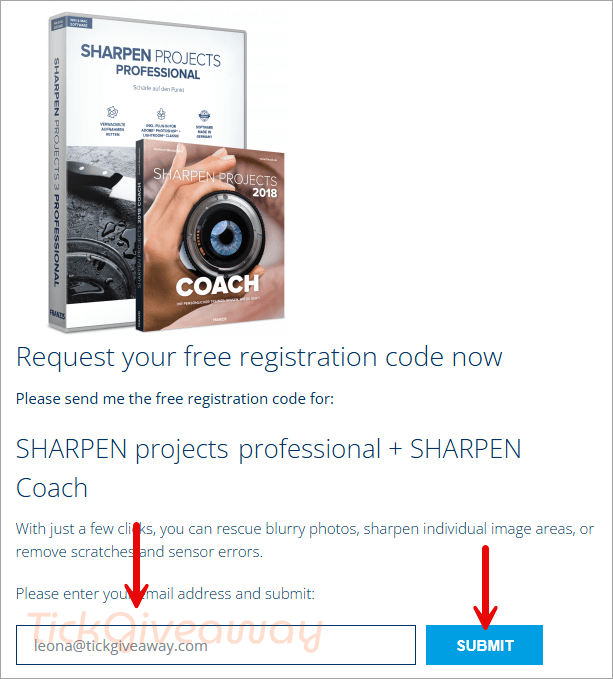
Step 1. Visit the SHARPEN projects 3 giveaway page and complete the form to receive a free license code via email.
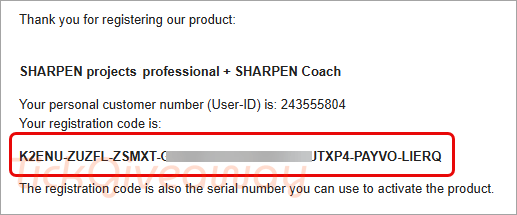
Step 2. Download the installer
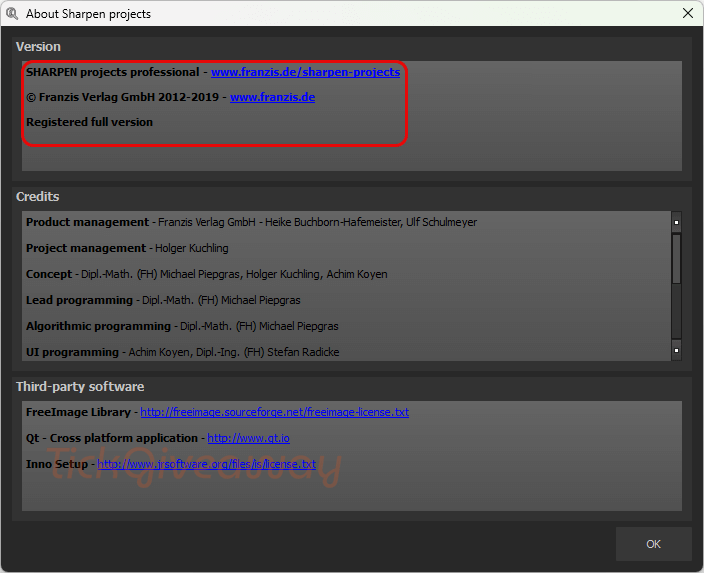
Install the application on your computer and launch it. Enter your email address along with the license code received in step 1 to complete the registration.
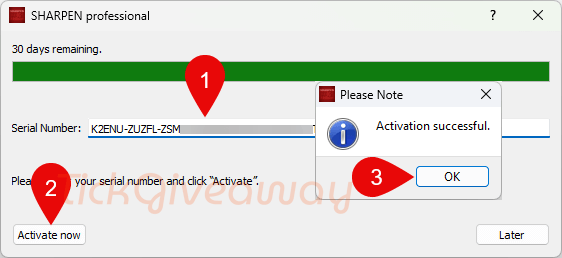
Step 3. Enjoy this software for free for a lifetime!