45% Off Movavi Screen Recorder Coupon Code Sep 2026
 Leona
Leona Table of Contents
Movavi Screen Recorder Coupon Code
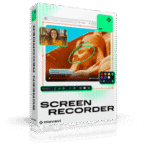
Movavi Screen Recorder is a powerful screen recorder tool that allows you to capture any activity on your computer screen in stunning quality. Whether you’re recording tutorials, webinars, or gameplay, it delivers smooth performance and crystal-clear results. Use our Movavi Screen Recorder Coupon Code to unlock the best savings on your purchase today.
Get deal for Movavi Screen Recorder - 1 Month Plan
Movavi Screen Recorder - 1 Year Plan Coupon Code
Movavi Screen Recorder + Video Editor - 1 Year Plan Coupon Code
Movavi Screen Recorder + Video Editor - Lifetime Plan Coupon Code
Movavi Screen Recorder Review
Movavi Screen Recorder is a functional yet straightforward screen recorder software for Mac and PC, allowing you to record your screen and capture video with audio. You are allowed to choose to record the whole screen or a custom area, capture the webcam and draw on recordings in real-time, highlight the mouse cursor and keystrokes to enhance instructional content, or record system audio and your voice.
Movavi Screen Recorder also allows users to draw in real-time, take screenshots, and schedule recordings, helping educators, business professionals, and content creators create engaging videos or capture webinars with ease. The AI noise reduction function can reduce background noise from the microphone, helping you remove unwanted background noise during recording.

Key features:
- Choose between capturing the entire display or a specific region.
- Add webcam footage to your screen recordings.
- Record system audio and microphone input together or separately.
- Highlight cursor movements, clicks, and keystrokes to enhance viewer understanding.
- Capture a scrolling screenshot to capture content that extends beyond the visible screen without merging multiple images.
- Use drawings on recordings to emphasize key elements during screen capture.
- Add visual cues to guide viewers’ attention and improve instructional clarity.
- Set start and end times for automatic recording of webinars, streams, or meetings.
- Auto-record recurring meetings, ideal for platforms like Zoom, Google Meet, and Microsoft Teams.
- The AI noise reduction function minimizes background noise during recording for clearer audio.
- Perfect for recording online courses, tutorials, and TED Talks.
- Narrate slides, highlight data, and prepare impactful visual materials for business presentations.
- Showcase products or services with voice-over and annotations for prospecting.
- Create high-quality 4K screencasts for YouTube content with editing tools for professionals.
Pricing Plan
- Screen Recorder – 1-Month Plan: Regular price: $19.95. 30-day money-back guarantee. All core screen recording features: capture screen + system audio, mic, webcam, no watermark, drawing tools, full-page screenshots.
- Screen Recorder – 1-Year Plan: Regular price: $64.95, discounted price: $44.95 (save 30%). 30-day money-back guarantee. Same features as above, but for a full year.
- Screen Recorder + Video Editor (annual subscription): Regular price: $139.95, discounted price: $59.95 (save 55%). Includes all Screen Recorder features plus video editing: cutting, trimming, joining, effects, AI noise reduction, background replacement, etc.
- Screen Recorder + Video Editor (lifetime subscription): Regular price: $211.95, discounted price: $94.95 (save 55%). Includes all Screen Recorder features plus video editing: cutting, trimming, joining, effects, AI noise reduction, background replacement, etc.
Benefits of order
- 100% Secure: All payments are processed through trusted and encrypted gateways, ensuring your personal and financial information stays completely safe.
- Prompt Delivery: Receive your activation key instantly by email after purchase, no waiting or manual verification required.
- Free Updates: Enjoy free updates and improvements throughout your license period, keeping your software optimized and bug-free.
- 30-Day Money-Back Guarantee: Movavi offers a 30-day money-back guarantee if the product doesn’t meet your expectations or fails to perform as described.
- Professional Support: Access 24/7 customer service via email and live chat. The Movavi team provides fast, friendly assistance for installation, activation, or technical issues.
How to activate the Movavi Screen Recorder Coupon Code?
To activate a Movavi Screen Recorder discount code during checkout, follow the instructions below.
1. On the Movavi Screen Recorder coupon code part of the post, click on the “Get Code” button.
2. You will be sent to the Movavi official website to begin your purchase. Click on the “Pricing” button.
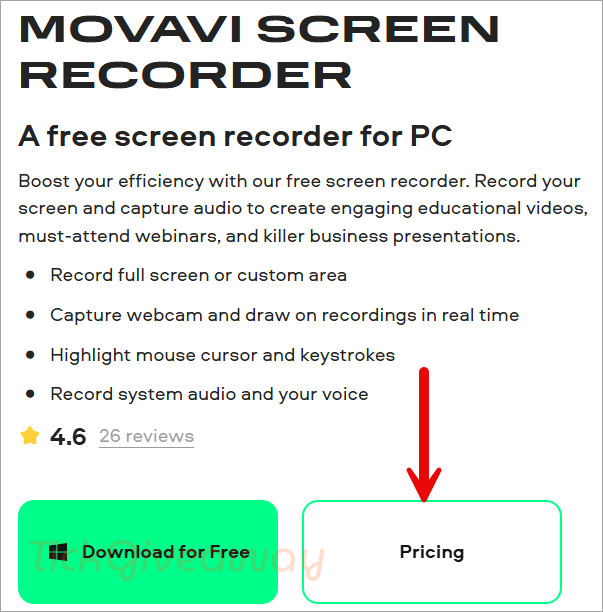
3. After you’ve decided on a price plan (Screen Recorder: 1-Month/1-Year, or Screen Recorder + Video Editor: 1-Month/1-Year), click the “Buy Now” button to proceed.

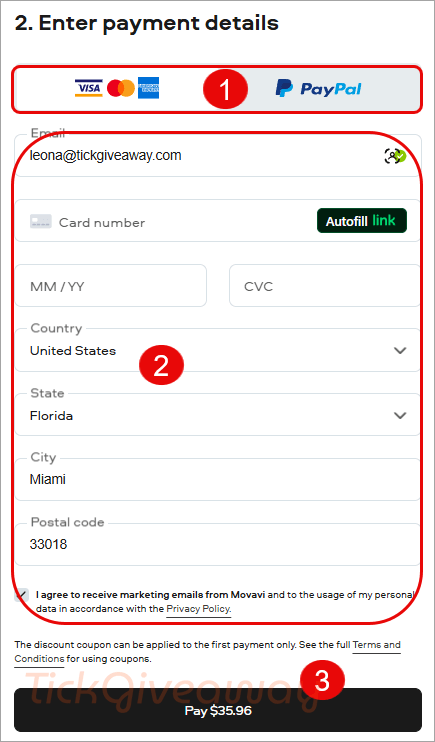
4. To apply the discount, enter the special Movavi Screen Recorder coupon code in the appropriate section during the checkout process.
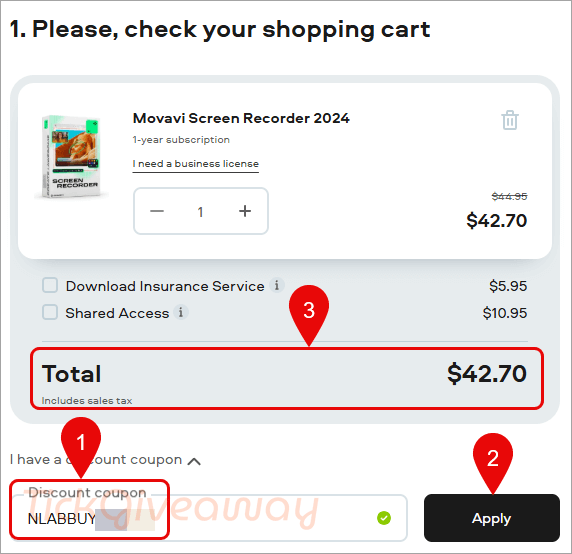
5. Enter your payment information and get your discount!