 jasmine
SysTools PST Merge Coupon Code
SysTools PST Merge is a powerful utility that combines multiple PST files into a single, organized file without data loss. It can save you hours of manual work if you’re decluttering your mailbox or preparing for migration. Check the following true SysTools PST Merge coupon code and deal to retrieve 25% off Personal, Business and Enterprise License.
SysTools PST Merge - Personal License
25% off coupon code
How to activate coupon code
Take the following steps to purchase SysTools PST Merge at the best price:
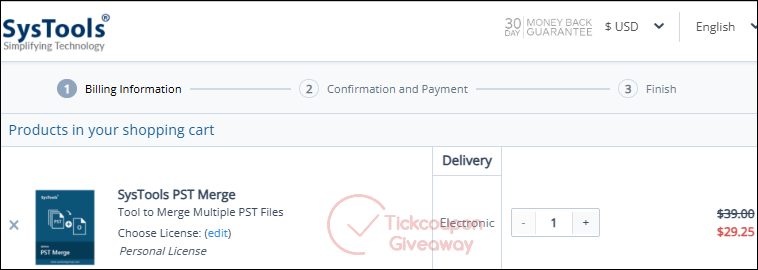
- Click on “Get Code” above to open a checkout page.
- A secure shopping cart tab will automatically open after clicking. It will show your product and discount.
- Complete the purchase process using your preferred payment method.
- Enjoy your discount!
Pricing Plan
SysTools offers flexible pricing depending on your license type:
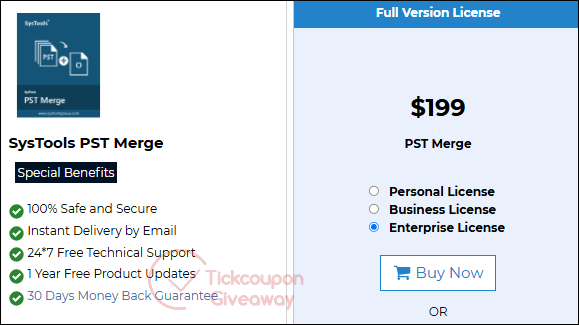
- Personal License: $39 for one machine and 1 Year of Free Product Updates. This plan includes all features and is perfect for personal use, freelancers, and home office professionals.
- Business License: $99 for up to 100 machines, and 1 Year of Free Product Updates. This license suits small to mid-sized businesses and IT teams managing multiple user accounts.
- Professional Plan: $199 for up to 500 machines and 1 Year of Free Product Updates. This is best for large corporations, managed IT service providers, or enterprise-level Outlook maintenance.
Benefits of ordering
When you purchase SysTools PST Merge, you will receive many benefits:
- Access to All Features with Every License: Every paid license unlocks the complete feature set, including merge, join, contact-only merge, folder structure preservation, support for ANSI/Unicode files, date filters, password-protected PST handling, and extensive file compatibility.
- 30-Day Refund Policy: Not satisfied with the product? A full refund policy covers you within 30 days of purchase.
- 100% Secure: To protect your data, all transactions are encrypted and processed through trusted payment gateways.
- 1 Year Free Product Updates: Stay current with the latest features, compatibility fixes, and performance enhancements for an entire year, which are included in every license.
- 24×7 Free Technical Support: Need help? The support team is available around the clock to assist you with installation, usage, or troubleshooting.
- Instant Delivery by Email: Receive your license key and download link immediately after purchase.
100% Working Coupon Code
Why trust us?
Our team regularly edits and updates all discount information. Please let us know if you encounter any invalid coupon codes or incorrect discount values. We appreciate your help in keeping our information accurate!
The coupon code didn’t work. What should I do?
Some coupon codes have specific requirements or exceptions (for example, they may only work with the checkout link from Tickcoupon Giveaway). Click “Details & terms” next to the coupon code on this page to learn more. If needed, try different codes on this page until you find one that applies a discount.
Why are some discounts lower compared to other sites?
We don’t intentionally use fake discounts to deceive users into making purchases, as some coupon sites do. For exact information, please refer to the final purchase price.
Is it safe to purchase from our website?
Absolutely. Your purchases are made through the vendors’ official website or trusted platforms we’ve carefully selected. Rest assured, your privacy is 100% protected while browsing our site.
SysTools PST Merge Review
SysTools PST Merge is a utility which helps Microsoft Outlook users combine multiple PST files into a single, organised PST file. This tool is handy for individuals and organizations that manage numerous Outlook data files and wish to streamline mailbox management, reduce clutter, and avoid data fragmentation.
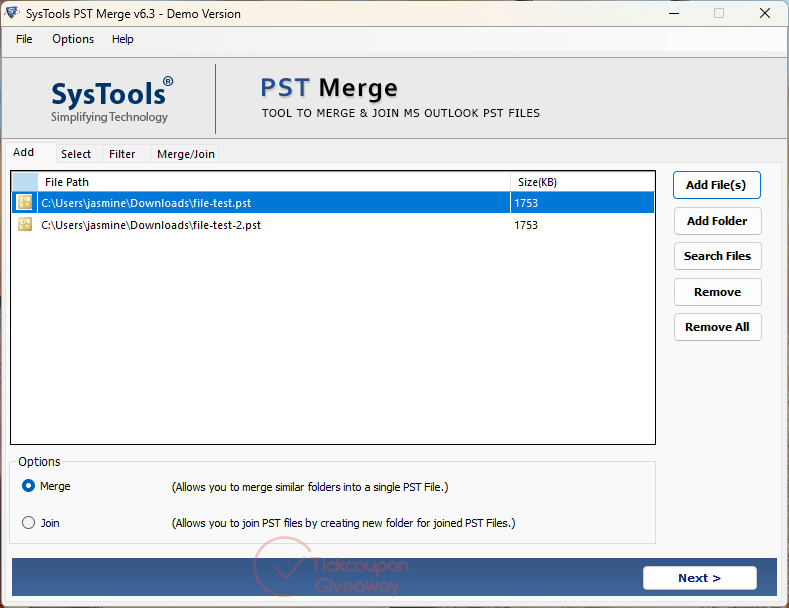
Key Features:
Multiple Merge Options
It offers three primary modes: Join, Merge, and Merge Contacts. The Join option creates a new folder for each merged PST and preserves their original structure. The Merge option consolidates similar folders (like Inbox, Sent Items) from different PSTs into unified folders. The Merge Contacts option specifically merges contact folders into one.
Selective Merging
Users can merge only specific folders (e.g., only emails or contacts), exclude deleted or junk items, and apply filters for more granular control.
Duplicate Removal
The software can automatically detect and remove duplicate items during the merge process, ensuring a clean, consolidated file.
Support for Large and Password-Protected Files
There are no file size limitations, and the tool supports both ANSI and Unicode PST formats and password-protected files.
Network and Archive File Support
It can merge PST files stored on local drives, networks, or Outlook archives.
Data Integrity and Folder Hierarchy
The tool maintains the original folder hierarchy and preserves the read/unread status of emails.
User-Friendly Interface
The interface is designed for ease of use, requiring minimal technical expertise. The process is guided step-by-step, with clear options and progress indicators.
Comprehensive Reporting
After merging, a detailed summary report is generated, including item counts, duplicate removals, and the status of each file. Reports can be saved in CSV format for future reference.
SysTools PST Merge is a powerful and user-friendly solution for merging multiple Outlook PST files. Its broad feature set includes selective merging, duplicate removal, large and password-protected files support, and detailed reporting. Before you purchase, grab a SysTools PST Merge coupon code to get an instant discount.