


 Leona
Leona Table of Contents
What is Ashampoo Face Blur?
If you want to share fun pictures of your family on social networks but don’t want to reveal your husband/ wife/ children’s faces, then Ashampoo Face Blur is definitely what you need. Designed with a simple and easy-to-use interface, this photo editing tool can help you automatically detect faces and, obscure them to ensure privacy and anonymity in the digital age.
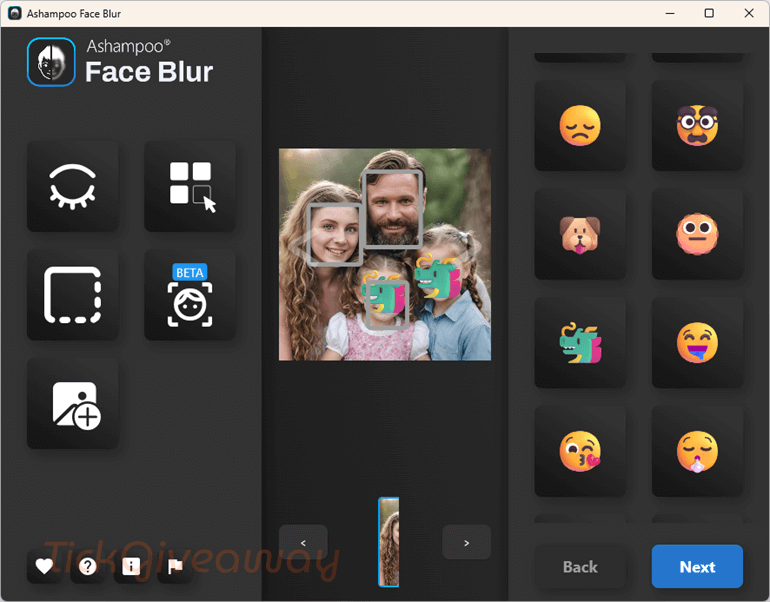
Ashampoo Face Blur provides multiple anonymization options, you can choose from various methods to hide faces, including blurring, pixelation, or replacing them with emojis. Besides, this application processes images quickly, ensuring that you can share your images promptly without compromising privacy. It can be used in versatile cases and is an indispensable tool for anyone who values privacy in their digital content.
Key Features
- Ashampoo Face Blur is a user-friendly photo editing tool that is designed to protect privacy by anonymizing faces in photos.
- It automatically detects faces in group photos, making it easy to anonymize multiple faces at once.
- You can choose to blur faces, apply classic pixelation, or replace them with smileys.
- The intuitive interface allows even those with no prior photo editing experience to use the tool effectively.
- The application processes images quickly, ensuring that users can share photos promptly without compromising privacy.
- Ideal for preparing company photos, sharing children’s pictures on social media, or preserving anonymity in public and private images.
- Ideal for both personal and professional settings, such as sharing children’s photos on social media or preparing company photos for presentations.
Supported OS: Windows 11/10
Price: $22/lifetime
How to get the Ashampoo Face Blur license key for free?
Special Offer
Ashampoo Face Blur Coupon Code
Instruction
Step 1. Download the giveaway installer. Install the software on your computer. When the installation is finished,
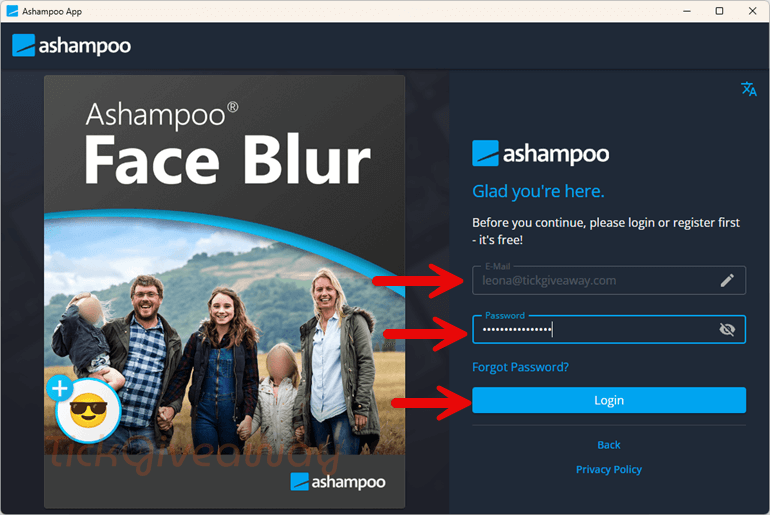
Step 2. After you log in successfully, click the “Get” and “LAUNCH” buttons to start using the software.
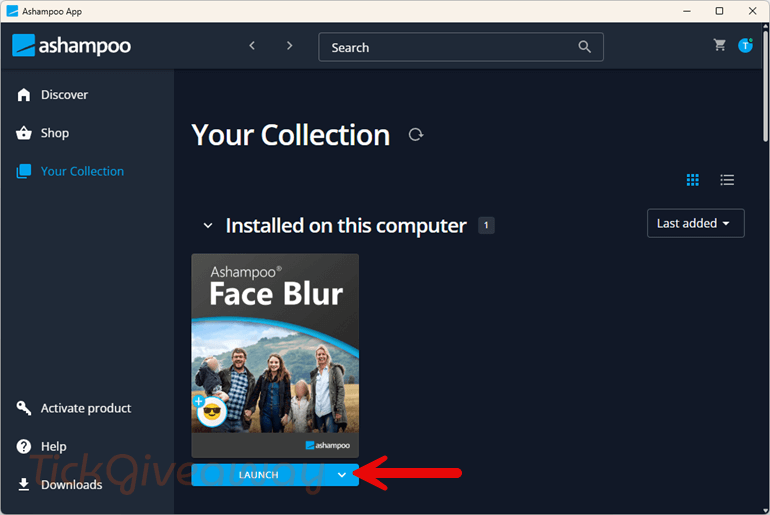
Step 3. Got it for a lifetime for free!


This installs the Ashampoo NOT The Face Blur Software! The Face Blur Software is only Free if you allow marketing mails and the App is essentially a Data Collection Tool so FREE is NOT FREE you pay with your Data!!!!!
This program installs via the “ashampoo app” downloader and it’s true storage footprint is not disclosed so be aware you will have multiple steps to go through before you find out if you even have enough space on the drive you’ve installed the ashampoo “app” on. It’s NOT an “app” but a desktop program that installs normally and not it the sandboxed location where Microsoft Store Apps are installed. If anyone does successfully participate in this please post a comment telling us the drives storage footprint this takes up? Thanks.