

 Leona
Leona Table of Contents
What is Magic Recovery Key?
Magic Recovery Key is powerful key-finder software for Windows that allows you to instantly recover and back up all your product keys on your computer. Using it, you can retrieve Windows system product keys, which means you can view product keys for Windows (Windows 11/10/8/7 and Windows Server) and SQL Server. It also allows you to obtain 10,000+ software serial numbers
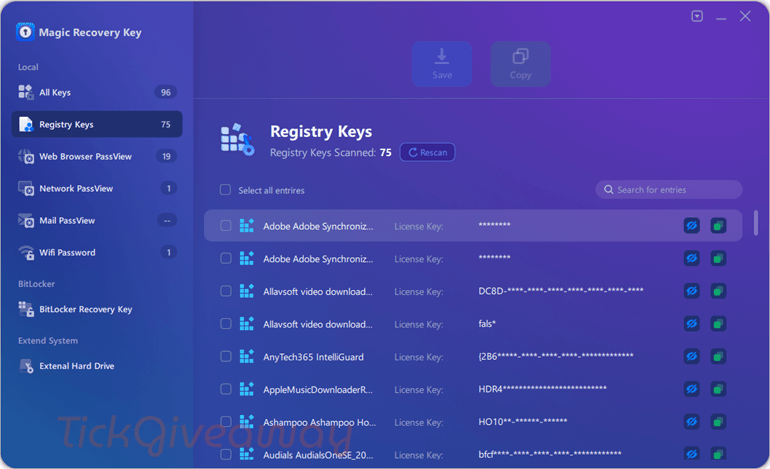
You also have the chance to get back the accounts and passwords stored in web browsers such as Internet Explorer, Mozilla Firefox, Google Chrome, and Edge. Not only that, but Magic Recovery Key has a Retrieve Office, Adobe, and PDF Keys function that offers the feature to retrieve the serial numbers and save them to a safe place with a click.
Key Features
- Magic Recovery Key helps you retrieve lost or forgotten product keys for a wide range of software, including Windows OS (Windows 11/10/8/7), Windows Server, Microsoft Office, and Adobe products with ease.
- You can use it to recover serial numbers and licenses for over 10,000 popular applications, making it versatile for personal and business use.
- It helps you retrieve product keys even in the event of a system or hard drive crash, ensuring you can still access your software.
- This tool allows you to recover saved passwords from popular browsers like Google Chrome, Firefox, Edge, and Internet Explorer, providing convenience for password management.
- It provides functionalities to recover your Wi-Fi passwords if you’ve forgotten them, ensuring seamless reconnection to networks.
- Once recovered, you can securely back up your product keys by exporting them to a text file or printing them for future reference.
Supported OS: Windows 11/10/8.1/8/7/Server
Price: $29.95/year
How to get the Magic Recovery Key license key for free?
This giveaway has ended.
Stay tuned - we publish new giveaways every day.
Special Offer
Magic Recovery Key Pro Edition (Perpetual )
Magic Recovery Key Pro Edition (1-Year )
Instruction
Step 1. Download the installer application. Install the software on your computer.
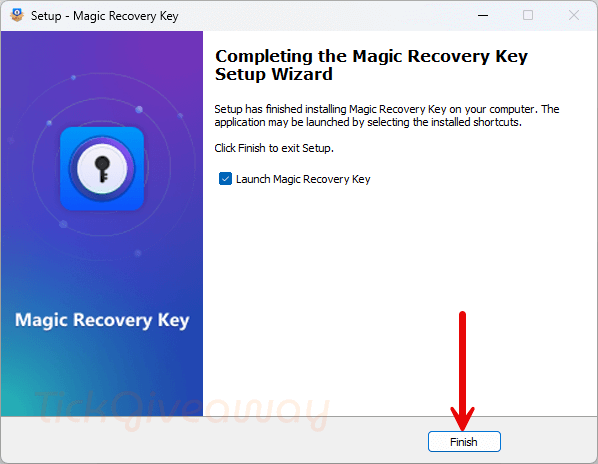
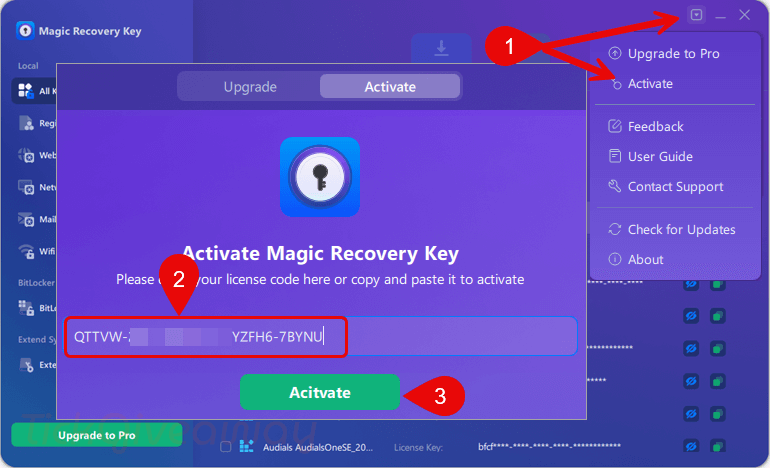
Step 2. When the installation is done, launch it. Please use the license code above to activate the software.
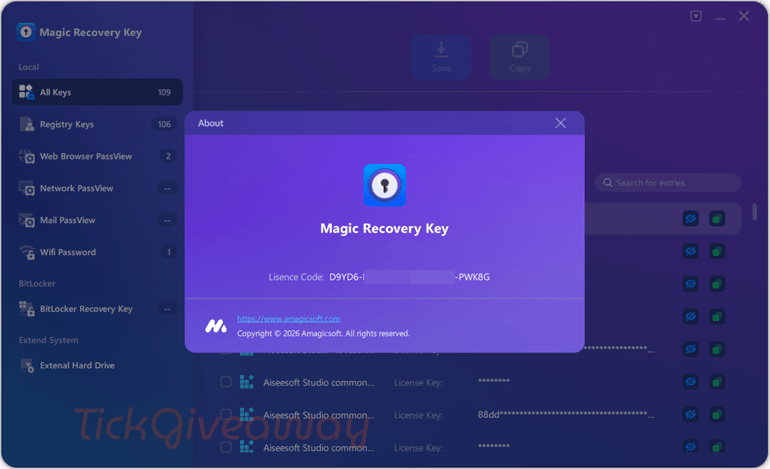
Step 3. Enjoy it for 1 year free!




same crap again!!!
product launches as freezes.
tried as admin, same issue
what is the purpose of meventagent.exe that after startup and initial quick scan of system and before activation tries PERSITENTLY and repeatedly indefinitely to access some remote site via IPv4 and IPv6 addresses that my windows firewall UI is reporting and temporarily blocking … which since the program activated without enabling this unsolicited programs internet access, I’m inclined to block as it seems rather risky to me to have unexplained unsolicited encrypted communications with foreign servers from a potentially admin process since it was spawned by an elevated process.
It just lists strings found in HKLM or HKCR /SOFTWARE sub key entries meaning there is a lot of garbage and they do not specify which exact registry key path the string belongs to so if it does stumble across an activated key that is not usable without the registry location to re-apply it in the future as the UI may not accept the key in that format… to me this is a badly programed false positive laden piece of riskware due to the unsolicited and suspicious network activity of the unidentifiable meventagent.exe potentially leaking unknown data to an unknown 3rd party. I don’t recommend this program if you have private data on your system, it’s not secure and innocent beyond reproach.
The process meventagent.exe remains active AFTER you exit the main program and task manager showed it consuming around 45 to 50% of multi-core CPU resources and WAS running with elevated rights so it had access to all our secrets, thankfully it was blocked from accessing the internet with whatever data it was harvesting for the developer to googles servers and my firewall warned me about each and every unwanted communication attempt… this program will be removed with prejudice i.e. will never be re-installed in the future, this vendor has had their chance! And grossly abused it.
Hi, Installed but couldn’t register. The software freezes when started. Afterwhile, the screen shows that “Magic Recovery Key is not responding”, ending-up with two options of “Close the program” or “Wait for the program to respond”.
Please note;
Tried with normal and again in “Run as Administrator” modes,
but the ending up with the same results.
Then tried with temporarily disabling Virus guard (Bitdefender) by using above modes, but the program is freezing.
If helps, the laptop specs are I7-6600U, 2.60GHz, RAM 16 GB, Windows Pro 22H2 with up-to-date Windows updates.
Best regards
Hi
Thank you for your prompt answer.
As said, there is no error message. The app just freezes when I click into it.
I am running Win 11 with all the latest updates.
Allways the same. Aftr installing it sarts the 1st time and it’s frozen…How to activate and above all to use???
The software typically functions properly on Windows 10/11 with administrator rights, so a system conflict may cause the freeze. Could you try disabling your antivirus/firewall, updating Windows and .NET, or running it in compatibility mode? If the issue persists, could you please share the error message?
I tried it with admin rights. Same issue: installs but is frozen when I click at any location in the window.
The software typically functions properly on Windows 10/11 with administrator rights, so a system conflict may cause the freeze. Could you try disabling your antivirus/firewall, updating Windows and .NET, or running it in compatibility mode? If the issue persists, could you please share the error message?
Same crap as before. Installes but doesn’t do anything. It get stuck
I tested this software on Windows 10 and 11, and it works well. Did you try installing it with administrator permissions, or can you share the error message?
never ever….
installs but does not work. Get stuck during launch. Tried on Win 10 and Win 11.
key – active failed
Hi, I tried the license code and it can be activated properly. If you encounter any problems, please feel free to contact support@amagicsoft.com. They will help you soon.
We are the dedicated team behind this software. If you encounter any challenges or have any questions while using it, please don’t hesitate to contact us. We are here to help and committed to ensuring your experience is as smooth as possible. support@amagicsoft.com
Great news! The license code is now available! Come and get 1-year license key for free!
Sorry to hear you’re having trouble with the activation. Please reach out to the developer’s support team at email: support@amagicsoft.com, and they’ll assist you in resolving the problem.