

Giveaway: Vovsoft Print Multiple Web Pages (Lifetime) – Batch Printing Software
days
0
0
hours
0
0
minutes
0
0
seconds
0
0
 jasmine
$0.0
$19
$0.0
$19
Table of Contents
What is Vovsoft Print Multiple Web Pages?
Vovsoft Print Multiple Web Pages is simple yet functional batch printing software designed to let you print HTML files and websites. With its simple, easy-to-use interface, you can print a large number of HTML documents or web pages at once to save time. Another noteworthy feature of this software is that it extracts and lists all URLs in the text one by one.
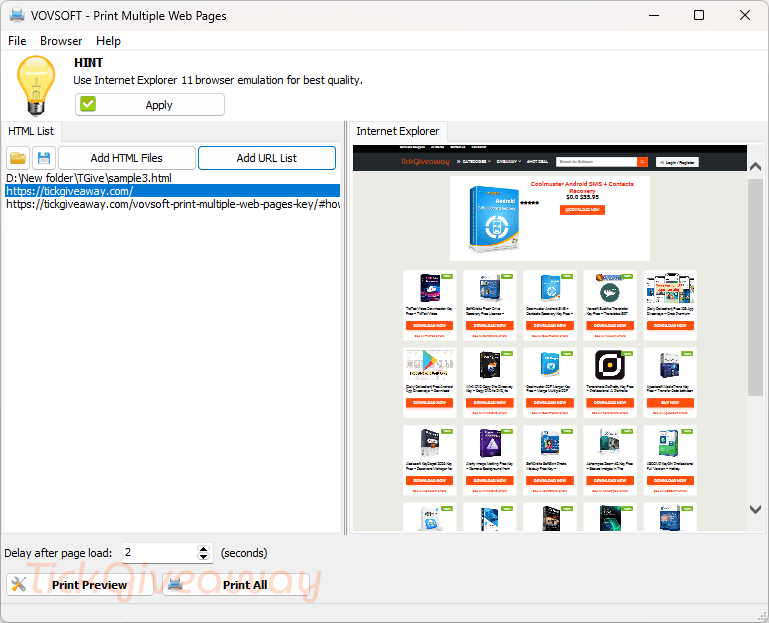
Key Features
- Vovsoft Print Multiple Web Pages has the ability to choose the page range
- It helps you choose a printer before sending it to print
- It allows you to print “article” only, instead of a full page
- You can stop printing
- It can fix the issue of “Always the same 3 URLs are displayed.”
- PDF export
- Read aloud
- Vovsoft Print Multiple Web Pages is able to extract URLs from text and print them all.
Supported OS: Windows 11, 10, 8/8.1, 7, Vista, XP (32-bit & 64-bit)
Price: $19/lifetime
How to get the Vovsoft Print Multiple Web Pages license key for free?
Official giveaway
Lifetime license
Non-commercial usage
No free updates
No tech support
Special Offer
🏆🏆🏆 Special Offer for You: Get up to 98% Off for Vovsoft products by using our Vovsoft Coupon Codes here!
30%Off
Vovsoft Print Multiple Web Pages
$13.3$19
•••PONShow Code
97%Off
Vovsoft Universal License lifetime
$69.3$2185
•••PONShow Code
Instructions
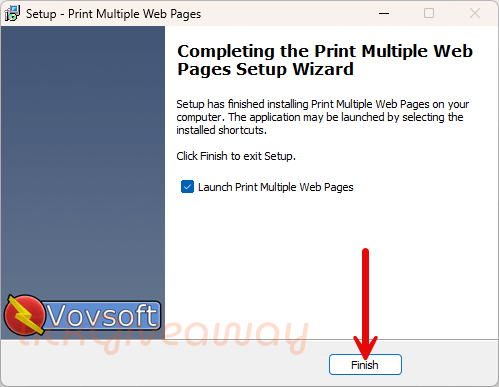
Step 1. Download the installer for Vovsoft Print Multiple Web Pages version 2.8. Install the software on your computer.
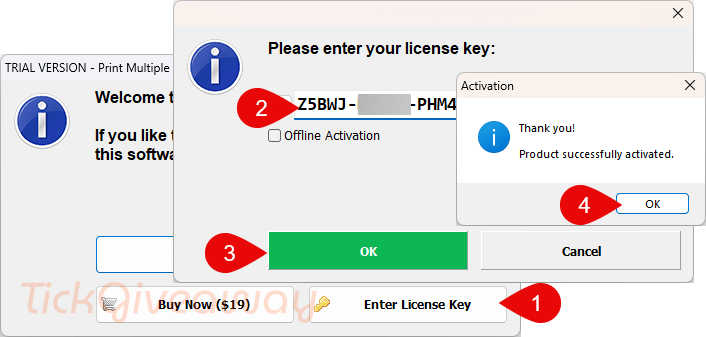
Step 2. Please enter the Vovsoft Print Multiple Web Pages license code to activate the software.
Step 3. Enjoy it for life, for free!



Thank You so much for all
Not very useful. It uses Internet Explorer emulation to preview websites (!!) so most sites won’t display or print properly.