

 Leona
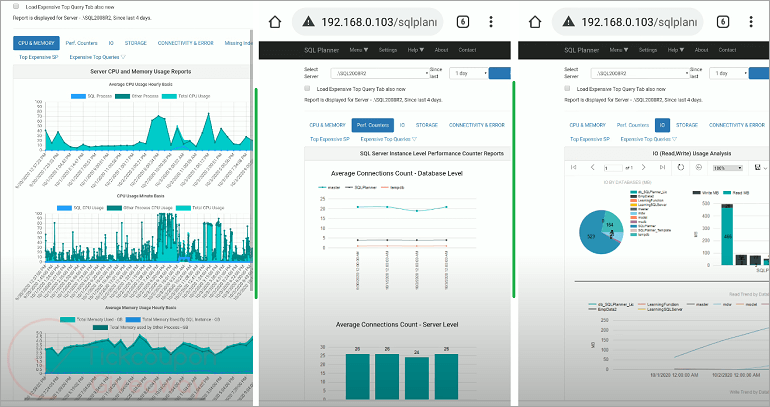
Leona SQL Planner is a web browser-based Microsoft SQL Server monitoring, Auditing, and backup tool that allows you to manage SQL servers anywhere. This tool performs SQL health analysis, backup, and De-fragmentation and offers customers the freedom to work from a tablet, PC, or any other device while they are on the go or out for a stroll. You can monitor and get more than 70 health analytical reports with this powerful application.
Besides, it provides a backup feature that has the flexibility to auto-restore on the test server and validate the backup file. SQL Planner has the ability to backup all your SQL Server database hosted on Cloud VM, on-premise, Linux from one place & from any device (you can do SQL Server backup from Mobile, Tablet, Linux, Windows, MAC.) Another noteworthy feature of the SQL Server Monitor and Health Analysis tool is that it automatics scripting. It has the capacity to produce SQL Server scripts and execute them against the SQL Server instance’s databases.
Key Features:
- SQL Planner allows you to monitor, analyze SQL server Health & find root-cause, and receive alerts.
- This tool also can help you back up with auto-restore to the test server and validate with DBCC check DB in the test server, oost which sends you the outcome in the report.
- Index fragmentation report and solution.
- Database Scripting objects or tables level and automation
- SQL Planner can be operated from any device (tablet, PC (any device))and anywhere and lets you work with ease.
Supported OS: Windows Server 2012 or Higher OR Windows 8, 10, 11 or Higher
Price: FREE
How to get the SQL Planner license key for free?
Step 1. Download the installer for SQL Planner -> SQLPlanner_Setup_Free_Edition.zip
Note: The software is preactivated for forever use without any limitation and requires no key to activate it.
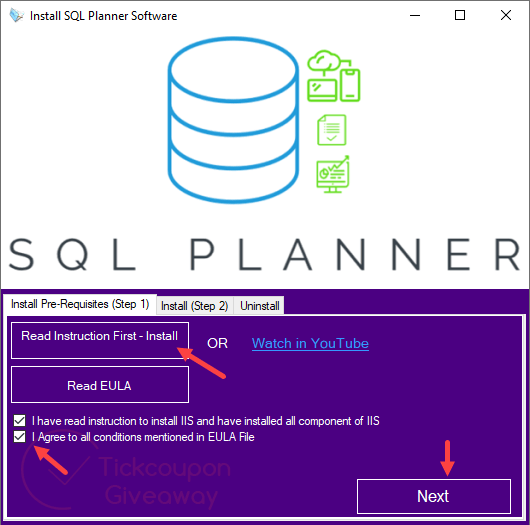
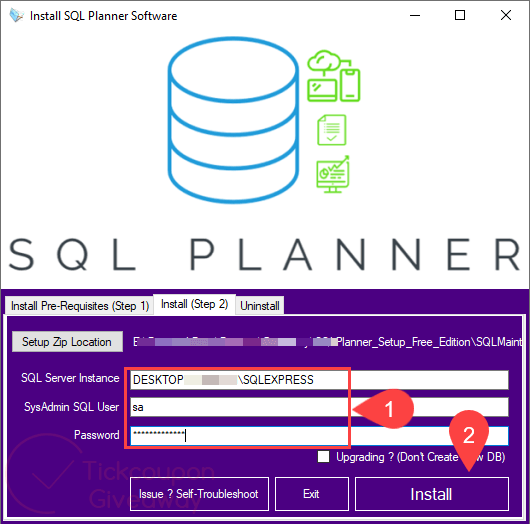
Step 2. Provide SQL server / Express edition credential in this application and click on the Install button
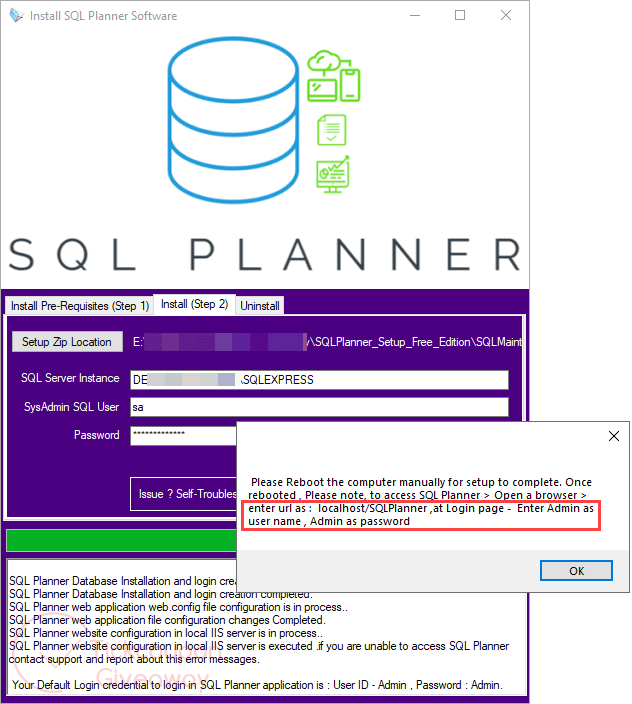
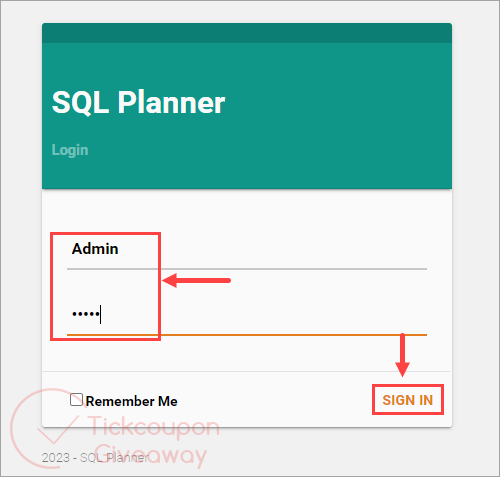
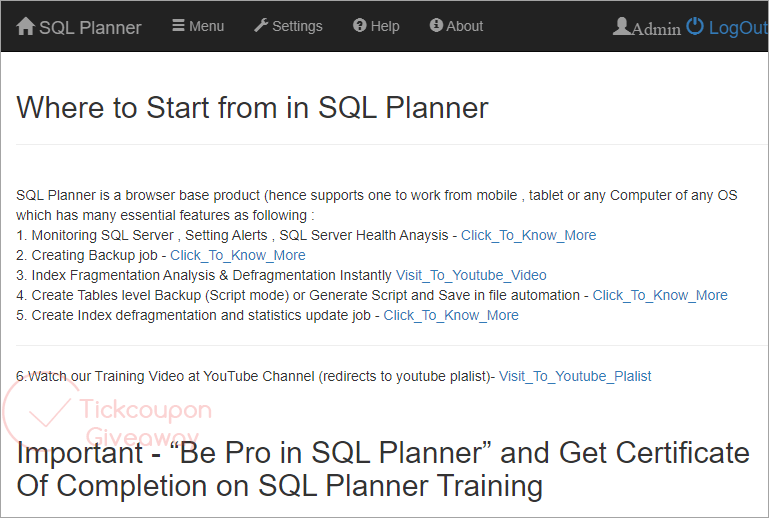
Step 3. Once it has successfully installed it will open a web browser with SQLPlanner website: http://localhost/SQLPlanner/
default credential to login is (user id: Admin , password: Admin):
Enjoy!
Terms
- This is a 10-year license for SQL Planner 1.1/reinstallable
- Non-commercial usage
- You get free updates and tech support




How to activate it for free in an completely offline environment?