

Giveaway: Donemax Disk Clone for Windows – Expert-level Hard Disk Cloning Software

 january
 Table of Contents
What is Donemax Disk Clone for Windows?
Donemax Disk Clone for Windows (DMclone) is reliable disk clone software. It can help Windows users securely and easily clone HDDs, SSDs, USB flash drives, memory cards, RAID arrays, and servers from one location to another. It offers a sector-by-sector disk cloning solution to copy hard drives without any data loss.
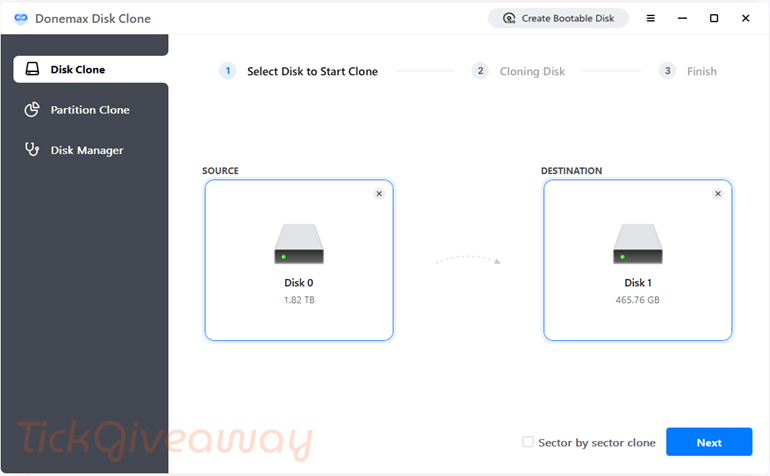
This powerful disk cloning software offers two solutions: partition clone and disk clone. You can clone a disk partition or an entire hard disk drive with this software. Donemax Disk Clone for Windows is fully compatible with Windows 11, 10, 8, 8.1, 7, Vista, and Windows Server, ensuring broad usability across various systems and configurations.
Key Features
- Donemax Disk Clone for Windows is an efficient disk cloning software designed to quickly and easily clone your hard drive to an SSD.
- This tool can be used to clone entire hard drives or specific partitions to new disks, ensuring that all data, including the operating system and applications, is transferred accurately and securely.
- This tool provides two disk cloning methods, Disk Cloning Mode and Partition Clone Mode, to make backing up or upgrading your hard drive straightforward and secure.
- The sector-by-sector Clone function allows you to clone an HDD or SSD with bad sectors to another disk, which means the bad sector will be skipped without interruption when cloning hard drives.
- Using the Donemax Disk Clone, you can create bootable copies of your system disk, which can be used to quickly restore your system or boot from a crashed computer.
- It supports cloning to various disk sizes and types, including HDDs, SSDs, and external drives, making it versatile for different backup and upgrade scenarios.
- With this disk cloning software, you can also upgrade the hard drive to an SSD or a higher-capacity drive for high performance.
- Donemax Disk Clone for Windows provides many features for migrating data to a new destination. Its users can migrate data from one PC to another with just a few clicks while keeping their data safe.
Supported OS: Windows 11/10/8/7/Vista
Price: $49.95/lifetime
How to get the Donemax Disk Clone for Windows license for free?
Special Offer
O&O DiskImage Premium
AOMEI Partition Assistant Professional (Lifetime Upgrades / 2 PCs)
EaseUS Disk Copy Professional (Yearly Subscription)
EaseUS Disk Copy Professional (Lifetime Upgrades)
Hasleo Disk Clone Professional + Lifetime Free Upgrades
Instruction
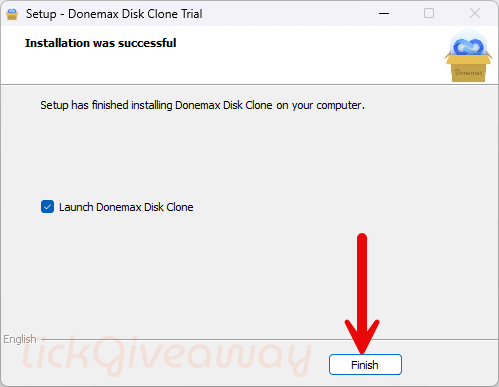
Step 1. Download the Disk Clone for Windows on your computer. Install the software on your computer.
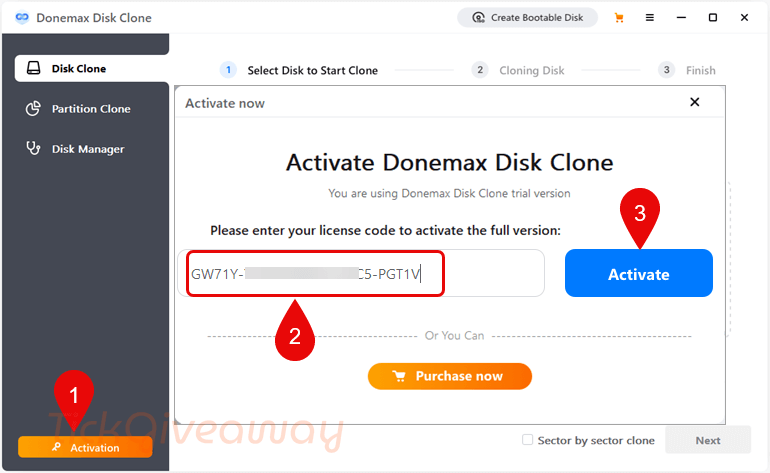
Step 2. Then use the license code to activate it.
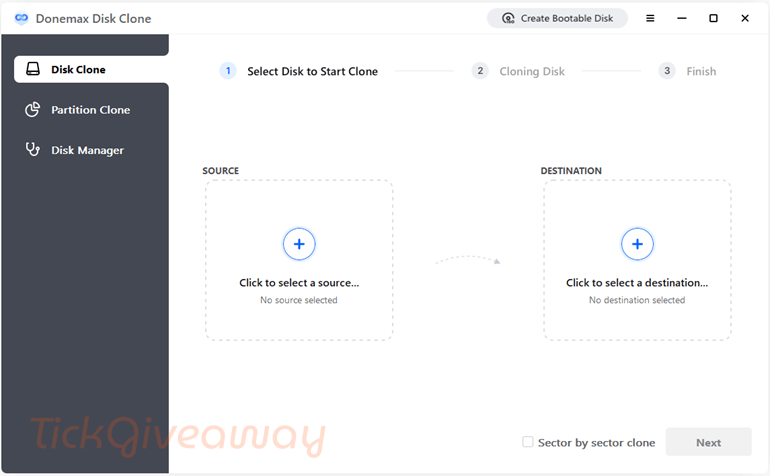
Step 3. Enjoy it for a lifetime free.

Registration failed… “This licence has already been used”
Registration failed : says “license has been used”
Is this lifetime license or for 1 year?
This is a lifetime license code for the current version (2.0)
I don’t understand if it’s a 1 year license or a Lifetime license…
Ik baal nu behoorlijk wat ook probeer krijg jammer genoeg nog niet geaktiveerd….
Word ik hier misleid
Ik heb medere keren geprobeerd om het te instaleren…
Krijg dan de melding dat de ky niet klopt
Dan krijg ik een optie om het te kopen…
Does not see my 512GB SSD drive as a source. Win10. HP Omen 15 gaming laptop. 64 GB RAM.